A domain name is the address visitors type to reach your website. Registering one secures your online identity and prevents others from claiming the name you want.
You will search for available domains, select a registration period and complete checkout. Once registered, the domain belongs to you for the term you choose.
Before you begin
- Choose a short, memorable name that reflects your business or project.
- Consider which domain extension best suits your audience (for example, .co.uk for UK businesses).
- Have your contact details and payment information ready.
Search for your domain
The domain checker shows whether your chosen name is available and suggests alternatives if it is already registered.
- Open the domain checker.
Visit the domain checker and enter your desired domain name in the search field. - Review the results.
If your domain is available, you will see an Add To Cart button. If it is already registered, the checker displays alternative extensions and similar names. - Add the domain to your basket.
Click Add To Cart next to your chosen domain. This starts the registration process.
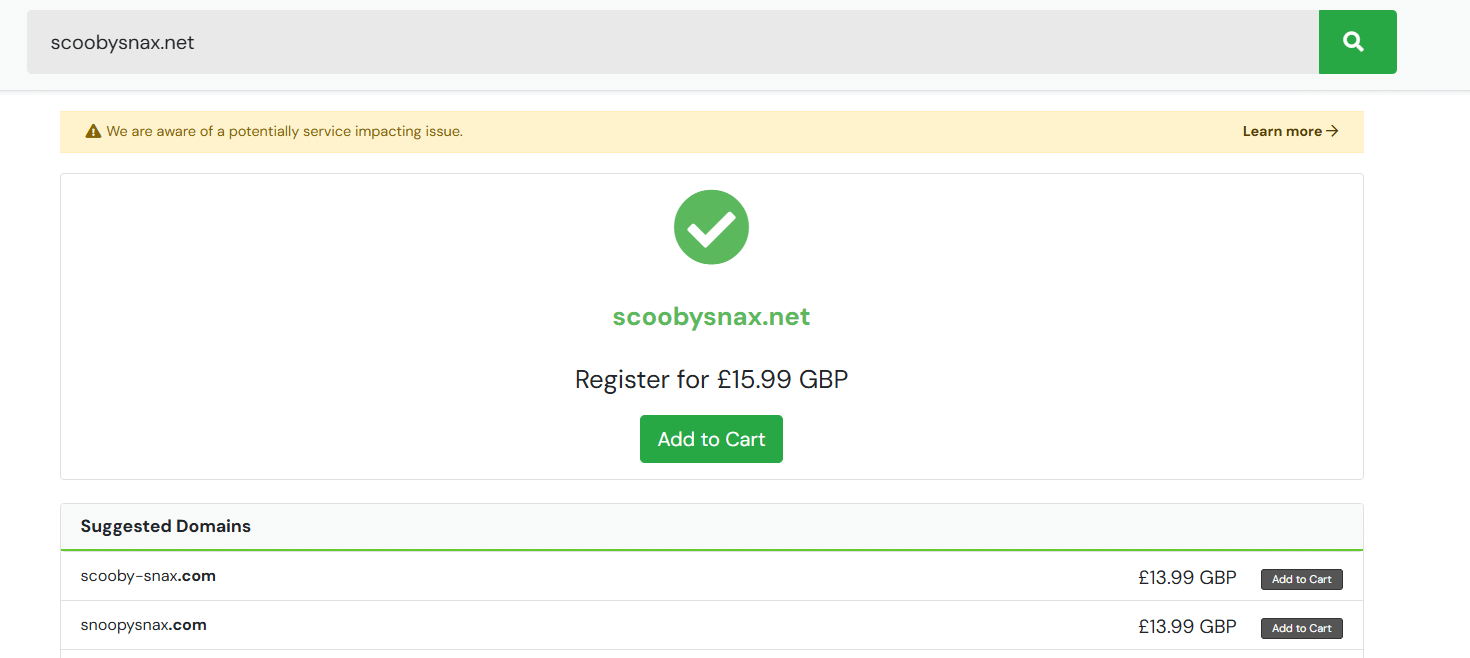
Your domain is now in your basket. You can adjust the registration period before completing checkout.
Complete the registration
Finalising your order secures the domain under your name for the period you selected.
- Review your basket.
Check the domain name and registration period. You can register domains for up to nine years. - Enter your details.
If you are a new customer, provide your name, address, contact information and payment details. Existing customers can skip this step. - Complete the order.
Click Complete Order to finalise the registration. You will receive a confirmation email with your domain details.
Your domain is now registered and active. You can manage it through your account dashboard.
What if my domain is already registered?
Popular domain names are often taken, but alternative extensions may be available. For example, if example.co.uk is registered, example.uk might be free.
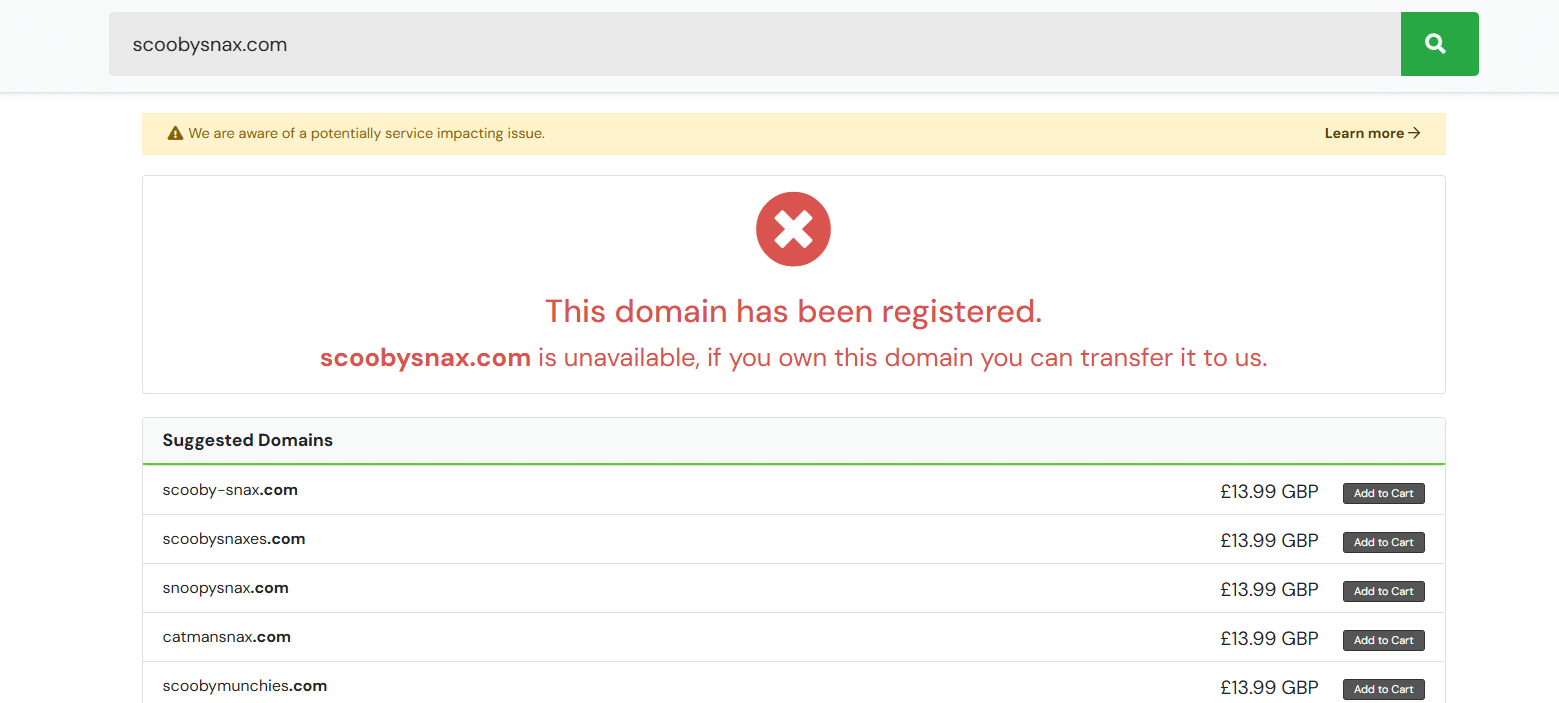
Review the suggested alternatives and choose one that suits your needs. Different extensions can offer advantages depending on your audience and industry.
Connect your domain to hosting
A domain name needs hosting to display a website. If you register a domain with us, it automatically connects to our nameservers when you add a hosting package.
If you host elsewhere, update your domain’s nameservers to point to your hosting provider. DNS changes can take up to 48 hours to propagate globally.
Wrapping up
You have registered your domain name and secured your online identity. The domain is active and ready to connect to hosting.
Review your domain settings in your account dashboard. You can manage renewals, update contact details and configure DNS records. Our web hosting packages include automatic domain setup when you add your newly registered domain.
Plans and tools mentioned in this guide
Did this guide solve your problem?
Still stuck?
Our UK support team answers tickets and live chat every day. Send us the guide you were following and where it stopped working.
Keep learning
Find a guide
Related guides

Need a domain name?
Search and register your perfect domain name hundreds of extensions available.
Search Domains
Keep your site secure
Protect your visitors with SSL certificates – from budget DV to premium EV certificates.
Get SSL Certificate