AccelerateWP speeds up WordPress sites through advanced caching, image optimisation, minification and CDN integration. The tool works on new and existing WordPress installations and is accessible through cPanel, Plesk or directly within WordPress.
You will enable AccelerateWP through your hosting control panel and configure the features that suit your site. Premium features are available on managed WordPress hosting plans for additional performance improvements.
Before you begin
- You need access to your cPanel or Plesk control panel.
- We recommend deactivating any existing caching or optimisation plugins to prevent conflicts.
Access AccelerateWP
AccelerateWP is available in cPanel and Plesk. The location differs slightly between control panels, but the tool functions identically in both.
- Log in to your control panel.
Access cPanel atyourdomain.co.uk/cpanelor Plesk atyourdomain.co.uk:8443, replacing yourdomain.co.uk with your actual domain name. - Locate AccelerateWP.
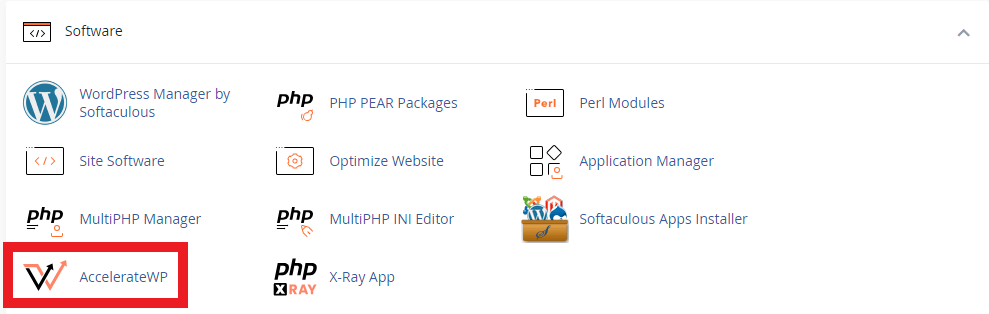
In cPanel, scroll to the Software section and click AccelerateWP. In Plesk, select your domain from the overview area and expand the sidebar to reveal the AccelerateWP tool.
Enable standard features
Standard features include basic caching, minification and deferral. These optimisations work on all hosting plans and provide immediate performance improvements.
- Open the standard settings.
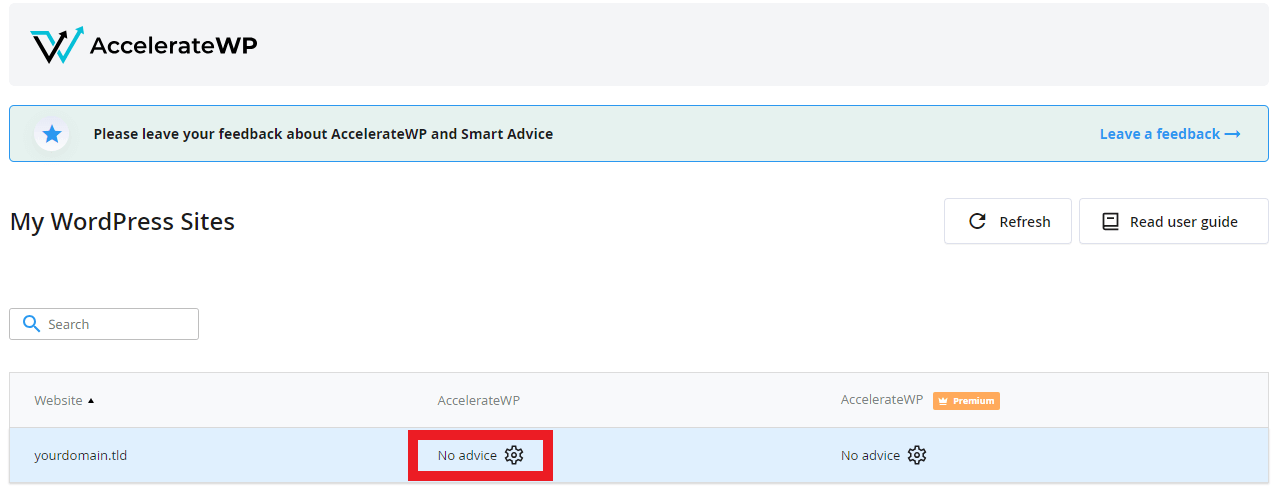
In the AccelerateWP overview, locate the Standard section and click the cog icon.
- Enable the features.
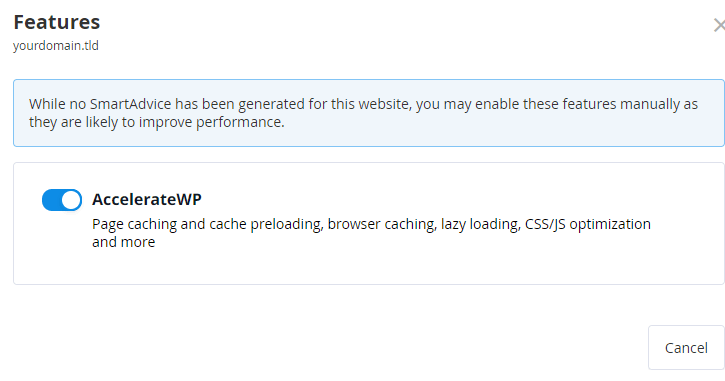
A modal window opens with a toggle selector. Click the selector to move it to the active position. The toggle turns blue when enabled.
Your WordPress site now uses AccelerateWP’s standard optimisations. The changes apply immediately without requiring a site restart.
Enable premium features
Premium features add critical path CSS generation, advanced image optimisation and object caching. These features are available on managed WordPress hosting plans.
- Open the premium settings.
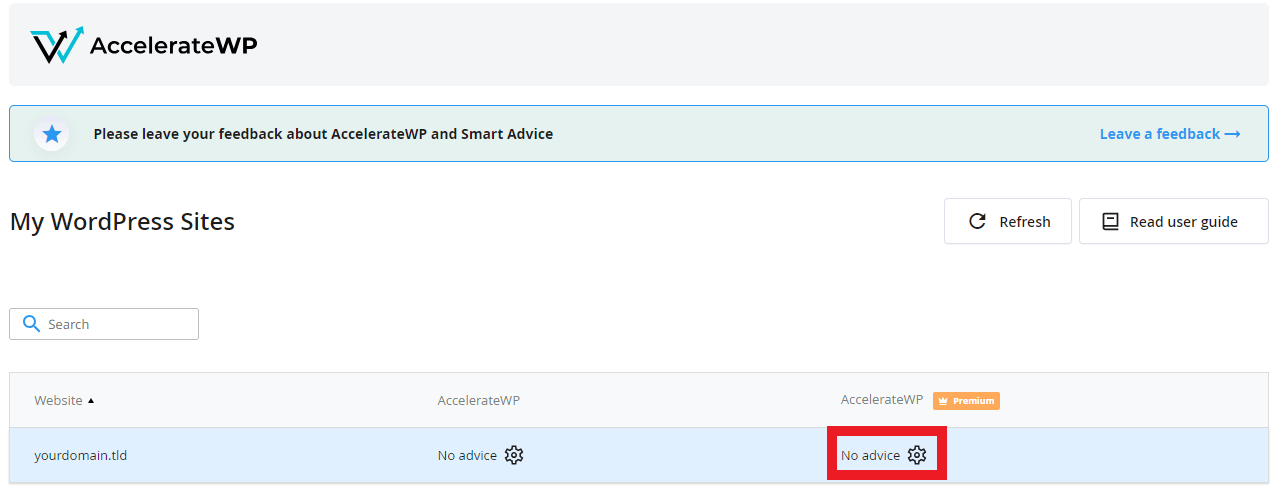
In the AccelerateWP overview, locate the Premium section and click the cog icon.
- Select your features.
A modal window displays toggles for Critical Path CSS, Image Optimisation and Object Caching. Click each toggle you want to enable. The toggles turn blue when active.
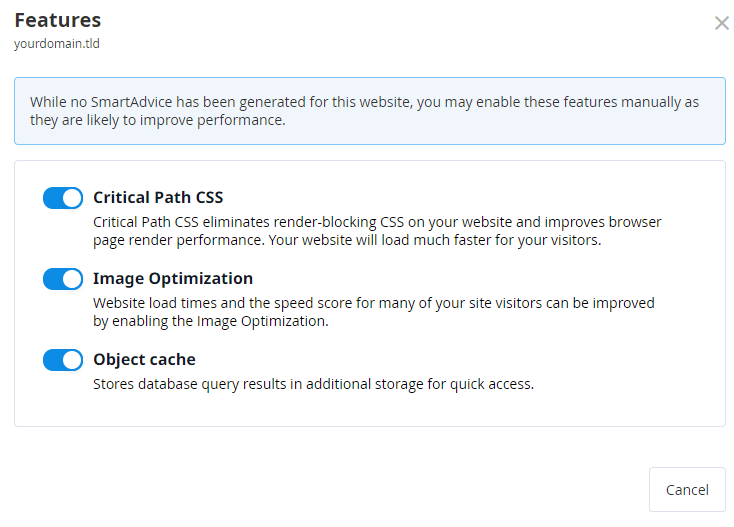
Premium features activate immediately. Object caching may take a few minutes to populate as WordPress generates cached objects during normal operation.
Troubleshooting
Conflicting plugins are enabled
AccelerateWP cannot activate when plugins with similar functionality are already installed. This prevents duplicate caching or optimisation processes that would conflict with each other.
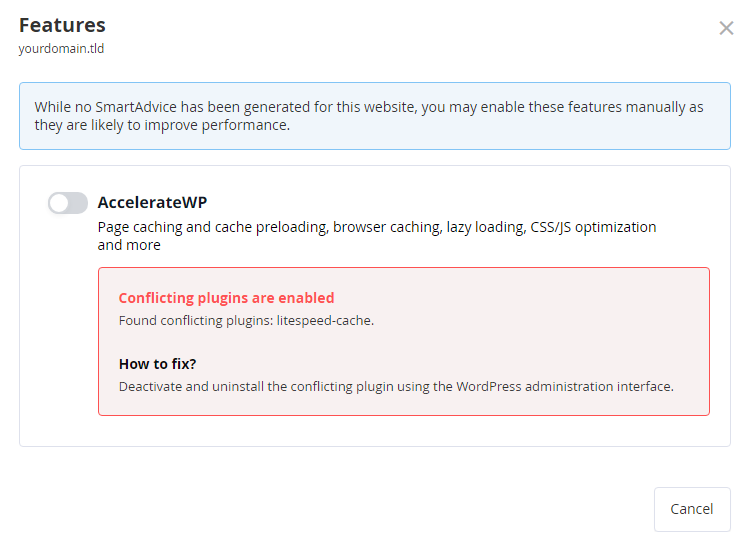
- Deactivate and remove any caching plugins such as WP Super Cache, W3 Total Cache or WP Rocket.
- Disable image optimisation plugins like Smush or EWWW Image Optimizer.
- Remove minification plugins such as Autoptimize or Fast Velocity Minify.
After removing conflicting plugins, return to AccelerateWP and enable the features again. The warning message disappears once all conflicts are resolved.
Wrapping up
AccelerateWP is now active on your WordPress site. You enabled the tool through your control panel and configured the features that match your hosting plan. Your site loads faster through caching, optimised images and CDN integration.
Monitor your site’s performance over the next few days. Check that pages load correctly, images display properly and forms submit without errors. You can adjust individual features at any time by returning to the AccelerateWP settings.
If you run into any trouble, get in touch and our team will be happy to help.
Plans and tools mentioned in this guide
WordPress Hosting
Tuned for WordPress, with one-click installs.
From £5.99/mo
View WordPress HostingDid this guide solve your problem?
Still stuck?
Our UK support team answers tickets and live chat every day. Send us the guide you were following and where it stopped working.
Keep learning
Find a guide
Related guides

Hosting that keeps up
cPanel hosting with the tools these guides use, backed by UK support.
Get cPanel Hosting
Keep your site secure
Protect your visitors with SSL certificates – from budget DV to premium EV certificates.
Get SSL Certificate