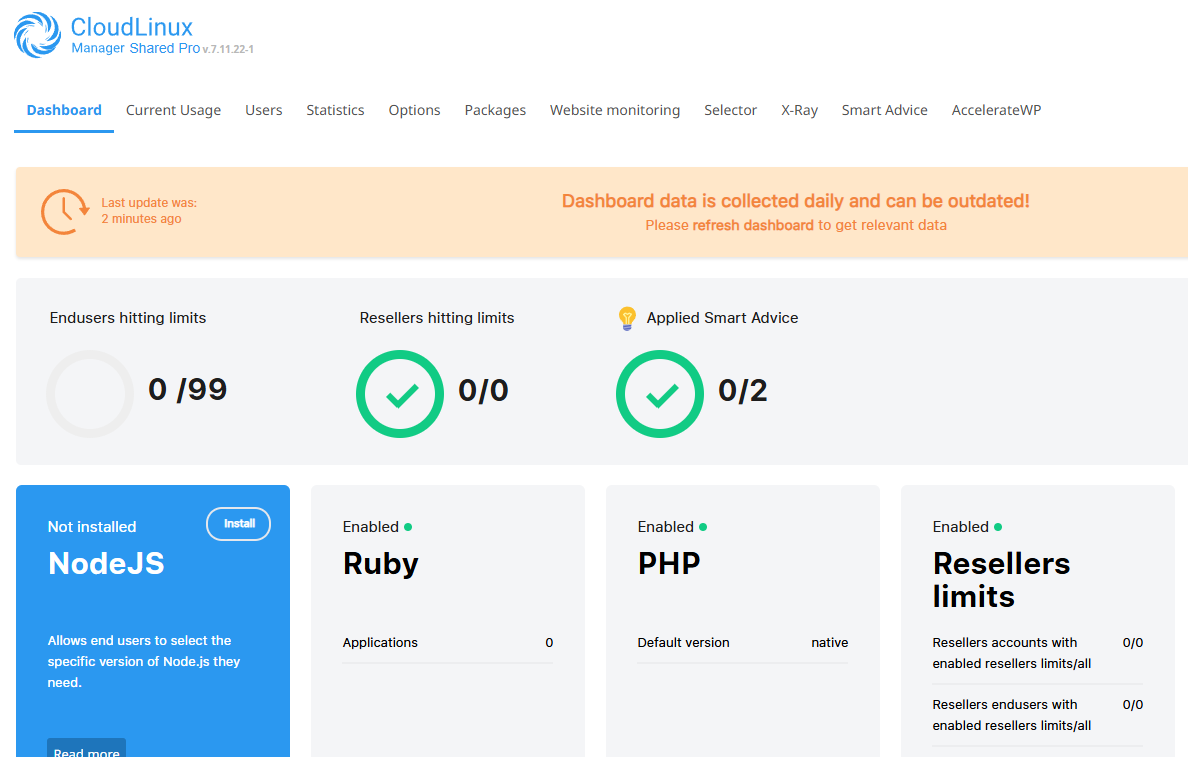
LVE or Lightweight Virtual Environment technology is a kernel-level technology, that isolates each user on a server into their own virtual environment or Cage. It is used on our shared platform for user resource management, ensuring server stability and preventing resource abuse across all active cPanel accounts.
One example of how LVE helps protect against malware is within WordPress environments, where it effectively contains escalation-style attacks. However, you should also consider implementing WordPress security plugins for comprehensive protection.
In this article we’ll explain what LVE is and how we use it to protect and enhance your hosting environment.
Key LVE limits:
- CPU usage.
- Memory (RAM) allocation.
- I/O operations.
- Number of processes.
- Entry Processes (EP).
By limiting these resources it ensures that every website operates within a specific “bubble” preventing any one site from hogging server resources causing’s slowdowns for other users on a shared platform.
How LVE protects the shared hosting environment
Across the shared platform we utilise LVE as it provides a similar level of protection as container-based virtualisation but specifically optimised for web hosting environments. This provides solid protection across different areas including.
- Server-Level monitoring and control that determines resource usage at the server level.
- PAM which ensures all authenticated processes remain within specified limits.
Understanding LVE Resource limits
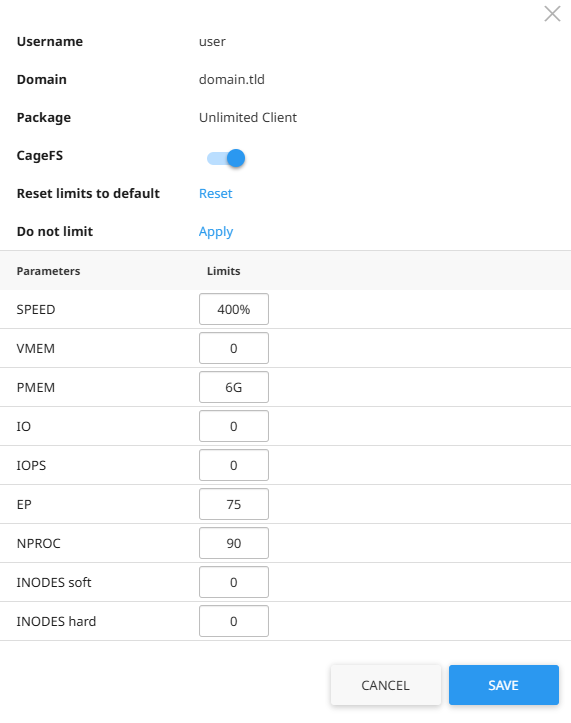
LVE operates at the system level, managing resources independently from application-level settings. Whilst you can adjust certain limits via your php.ini file, such as increasing your WordPress memory limit, these modifications are lesser to the hard limits enforced by LVE.
Key resource metrics that LVE manages:
- CPU limit: Restricts the percentage of CPU power an account can use
- Physical memory: Controls the amount of RAM available
- Virtual memory limit: Sets boundaries on combined physical and swap memory usage
- I/O limit: Regulates input/output operations
- Number of processes: Caps the total number of processes an account can run
- Entry processes: Limits inbound connections to prevent connection-based attacks
Monitoring your LVE resource usage
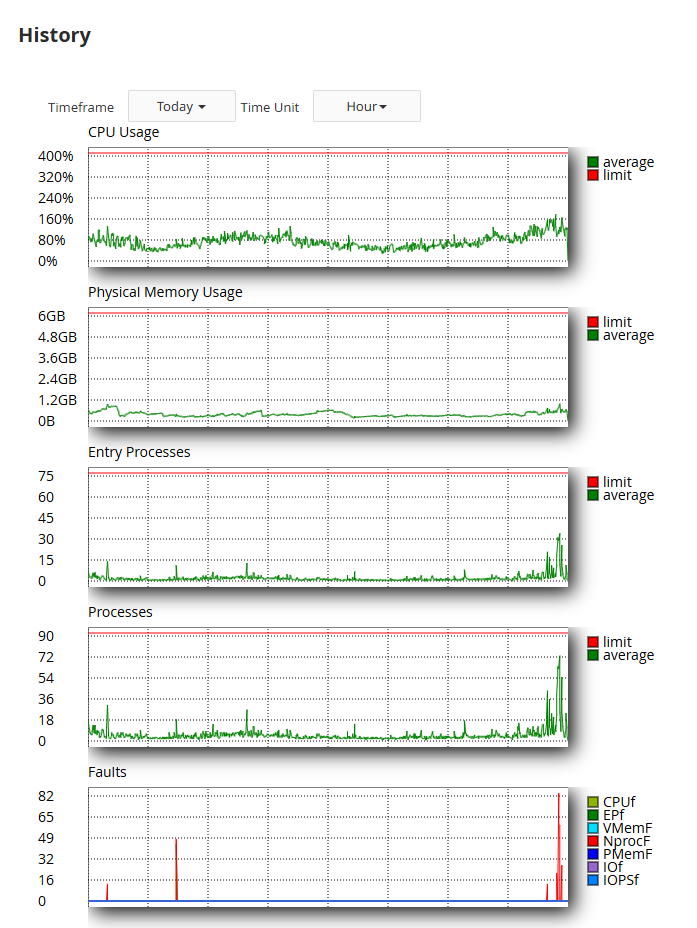
For any user on the cPanel shared platform we are able to monitor current and past resource usage which is useful for:
- Tracking historical resource consumption
- Identifying resource usage patterns
- Receiving notifications when approaching limits
- Requesting additional resources when necessary
503 and 508 Errors
When an account exceeds its allocated LVE resources, visitors may encounter 503 or 508 Resource Limit Reached errors. These errors occur when an account hits its CPU, memory, or entry process limits preventing the server from fulfilling those requests. If you’re experiencing these issues, you might want to first troubleshoot website errors before contacting support.
Common causes include:
- Traffic spikes (either legitimate or otherwise) overwhelming available resources.
- Poorly optimised (or vulnerable) plugins or themes consuming excessive CPU or memory.
- Resource-intensive automations or cron jobs running.
If you’re experiencing errors, contact the support team who can help identify and guide you through potential solutions.
When to consider resource upgrades
Using all of the information in this article we can consider increasing resource allocations when:
- A site consistently approaches or hits resource limits.
- When there is anticipated traffic growth for the site (or cPanel user).
- When implementing resource-intensive features.
In some cases it might be possible to enable nginx caching to help improve perofmr
Another time to consider an upgrade is when a site is showing a performance bottleneck, this is usually when a site is limited by resources but only one particular resource. As an example in the graph above we can see the site is limited by processes causing NPROC faults. At this point you might want to compare web hosting plans to check out specific resource limits.


Ready to get started?
Launch your website with our reliable cPanel hosting with unlimited bandwidth and expert support.
Get cPanel Hosting