cURL is a command-line tool that transfers data to and from servers. It supports HTTP, HTTPS, FTP and SFTP protocols, allowing you to download files directly from the terminal without a browser.
You will use cURL to retrieve files, save them with their original names or rename them during download. This works on any hosting environment where you have SSH access.
Before you begin
- You need SSH access to your hosting account.
- If you don’t have an SSH client, download PuTTY for Windows.
Retrieve a file with cURL
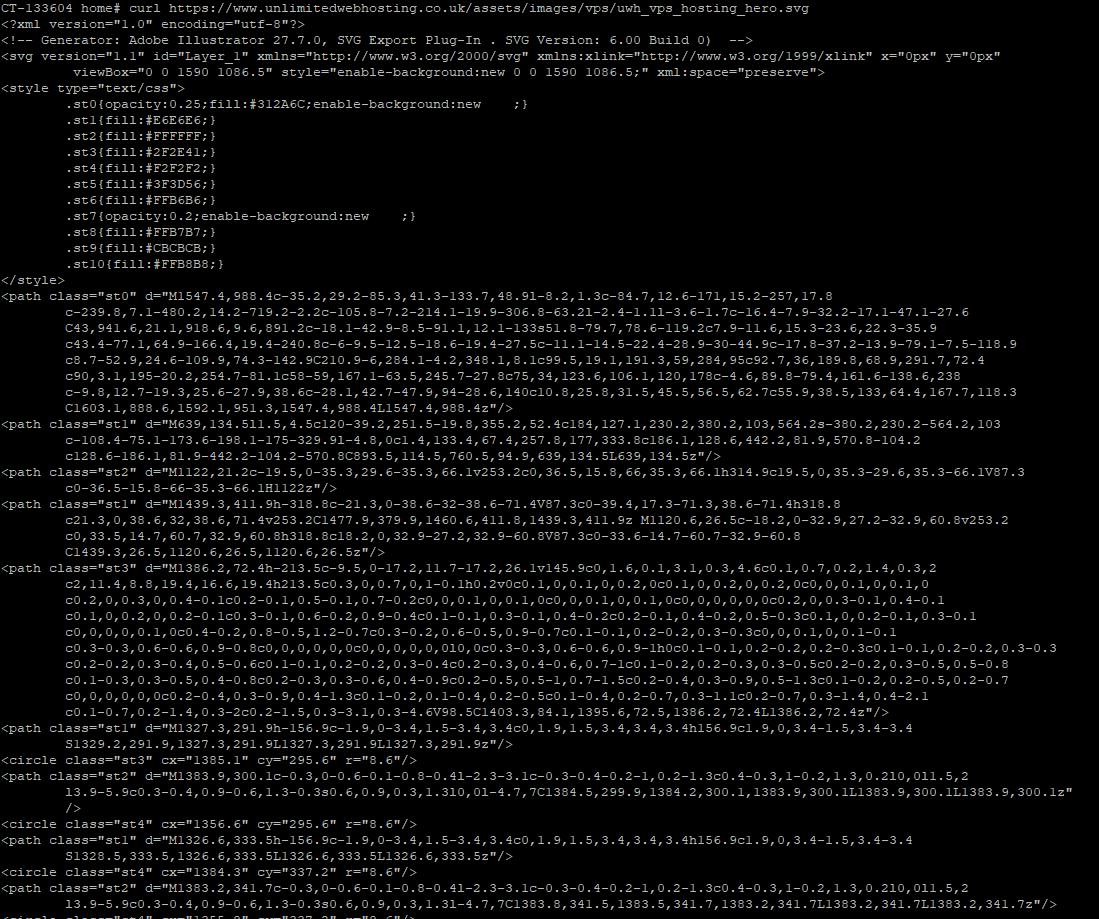
The basic cURL command downloads a file and displays its contents in your terminal window. This confirms the file is accessible before you save it.
- Connect to your hosting environment.
Open your SSH client and log in to your server. - Run the cURL command.
Typecurlfollowed by the file URL. For example:curl https://www.unlimitedwebhosting.co.uk/assets/images/vps/uwh_vps_hosting_hero.svg
The file contents appear in your terminal. This verifies the URL works correctly before you proceed to save the file.
Save files with cURL
cURL offers two options for saving files. The uppercase -O flag preserves the original filename, while the lowercase -o flag lets you specify a new name.
- Save with the original filename.
Add the-Oflag to your command:curl -O https://www.unlimitedwebhosting.co.uk/assets/images/vps/uwh_vps_hosting_hero.svgThis saves the file asuwh_vps_hosting_hero.svgin your current directory.

-O.- Save with a custom filename.
Use the-oflag followed by your chosen filename:curl -o hero_image.svg https://www.unlimitedwebhosting.co.uk/assets/images/vps/uwh_vps_hosting_hero.svgThis saves the file ashero_image.svginstead of the original name.

-o.Both methods download the complete file to your current working directory. Check the directory contents with ls to confirm the file saved correctly.
Handle URL redirects
Some URLs redirect to different addresses. The -L flag tells cURL to follow these redirects automatically, which prevents download failures.
- Add the redirect flag.
Include-Lin your command:curl -o hero_image.svg -L http://unlimitedwebhosting.co.uk/assets/images/vps/uwh_vps_hosting_hero.svgThis follows HTTP to HTTPS redirects and downloads from the final destination.
Without the -L flag, cURL stops at the redirect and fails to download the file. Always include this flag when working with URLs that might redirect.
Download files via FTP
cURL works with FTP and SFTP servers. You need to provide authentication credentials using the -u flag when the server requires a login.
- Construct the FTP command.
Use this format:curl -u username:password ftp://ftp.yourftpserver.tld/backup.tar.gzReplaceusernameandpasswordwith your FTP credentials, and update the server address and filename. - Switch to SFTP if needed.
Changeftp://tosftp://in the URL:curl -u username:password sftp://ftp.yourftpserver.tld/backup.tar.gzSFTP encrypts the connection for better security.
Combine the -u flag with -O or -o to save FTP downloads. For example: curl -u username:password -O ftp://ftp.yourftpserver.tld/backup.tar.gz saves the file with its original name.
Wrapping up
You can now download files from the command line using cURL. You retrieved file contents, saved files with original or custom names, handled URL redirects and accessed FTP servers with authentication.
Review our guides on connecting via SSH and managing files on your hosting account for more command-line techniques. Our web hosting plans include full SSH access for command-line file management.


Ready to get started?
Launch your website with our reliable cPanel hosting with unlimited bandwidth and expert support.
Get cPanel Hosting