A certificate signing request (CSR) contains the information a certificate authority needs to issue your SSL certificate. You generate the CSR on your server, submit it to the certificate authority and receive a signed certificate in return.
You will create a CSR through your hosting control panel by entering your domain details and organisation information. The process takes a few minutes and produces a text file you can submit to any certificate authority.
Before you begin
- You need access to your cPanel or Plesk control panel.
- Have your organisation details ready (legal name, address, country).
- Know your domain’s fully qualified domain name (FQDN).
Generate a CSR in cPanel
The cPanel SSL/TLS interface handles CSR generation and stores your private key automatically. This method works for customers with cPanel hosting or a cPanel VPS.
- Open the SSL/TLS interface.
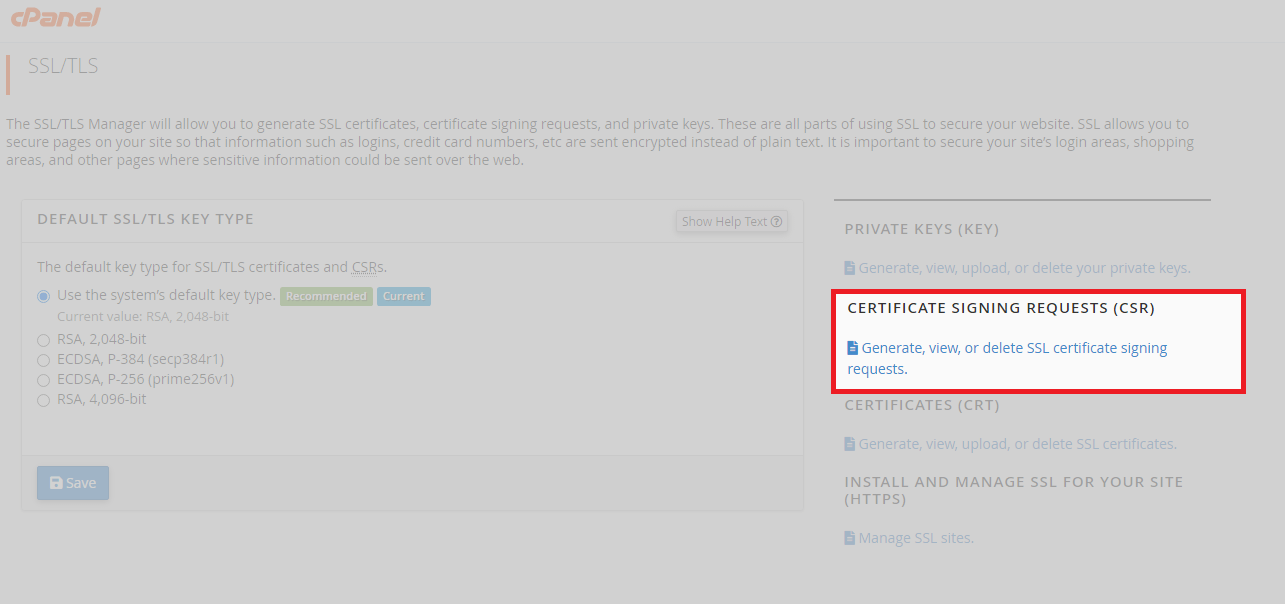
Log in to cPanel and locate the Security section. Click SSL/TLS to access certificate management tools.

- Access the CSR generator.
Click Generate, view, or delete SSL certificate signing requests. This opens the form where you enter your certificate details.
- Complete the CSR form.
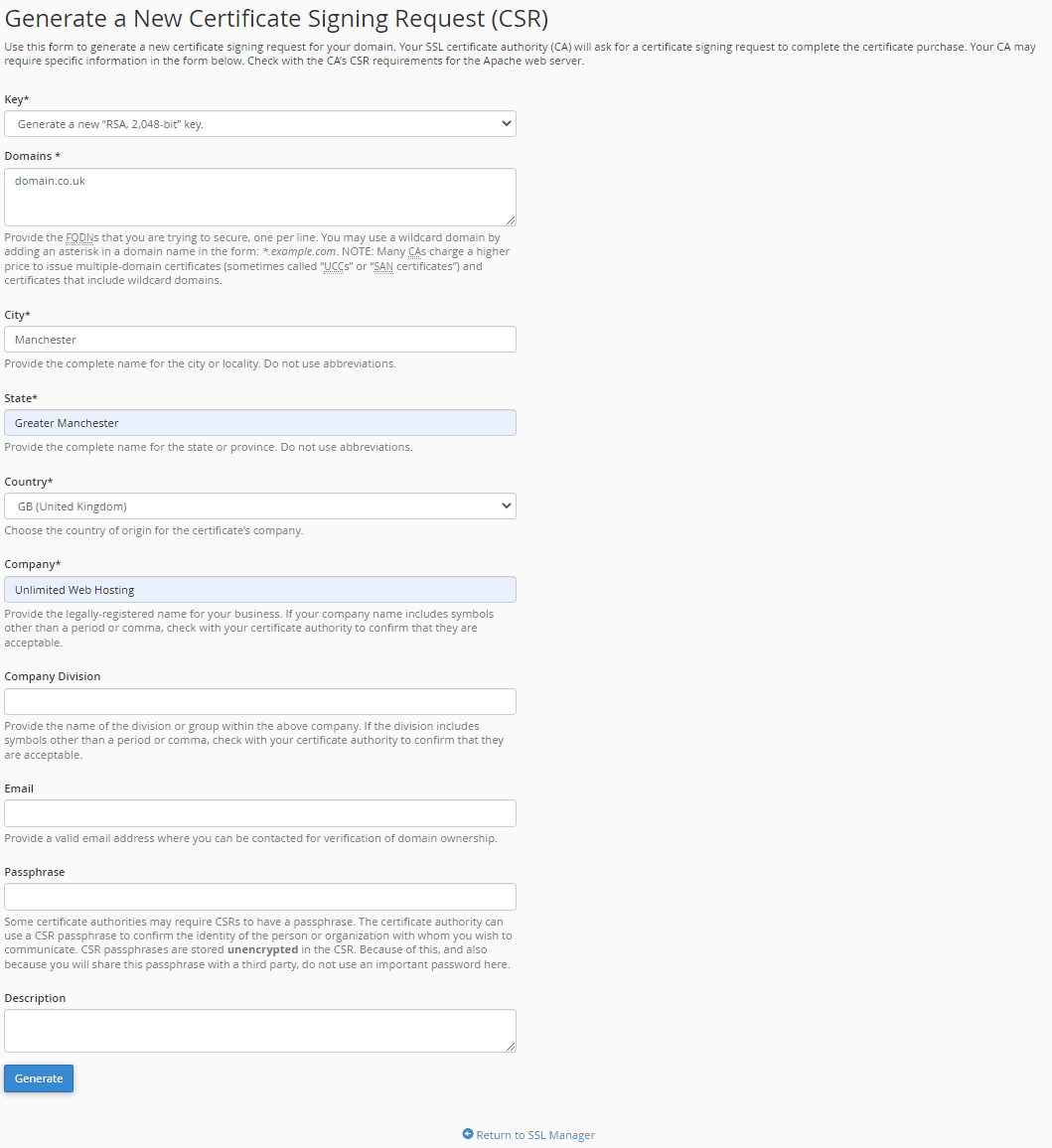
Enter your domain name in the Domains field. Fill in your organisation’s legal name, department, city, state and country. The email address receives certificate notifications from the certificate authority. - Generate the CSR.
Click Generate at the bottom of the form. cPanel creates your CSR and displays a success message with the encoded certificate request.
Copy the entire CSR text block, including the BEGIN and END lines. Submit this to your certificate authority when purchasing or renewing your SSL certificate. cPanel stores the corresponding private key automatically.
Generate a CSR in Plesk
Plesk generates CSRs through the domain-level SSL/TLS certificate manager. This method applies to customers with Plesk hosting or a Plesk VPS.
- Access domain SSL settings.
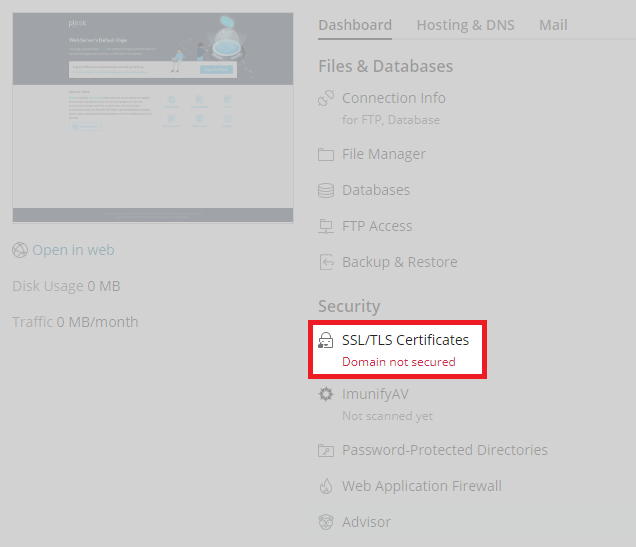
Log in to Plesk and select your domain from the list. Click SSL/TLS Certificates in the domain menu.
- Start the certificate request.
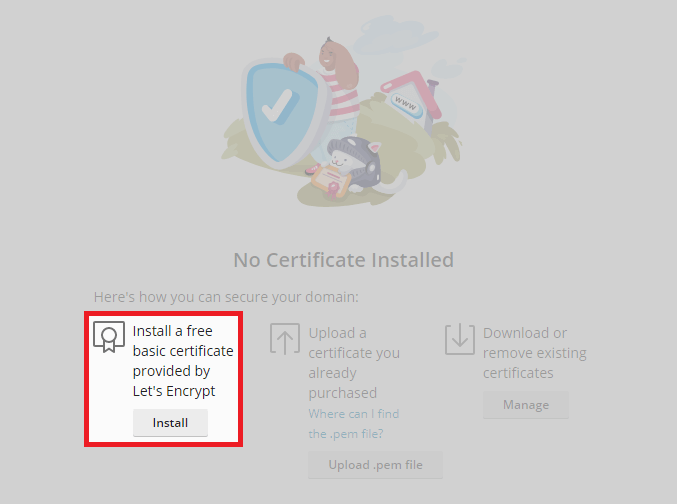
Click Add SSL/TLS Certificate to open the certificate configuration form.
- Enter certificate details.
Fill in your domain name, organisation name, department, city, state and country. Use your organisation’s legal name exactly as it appears in official documents.
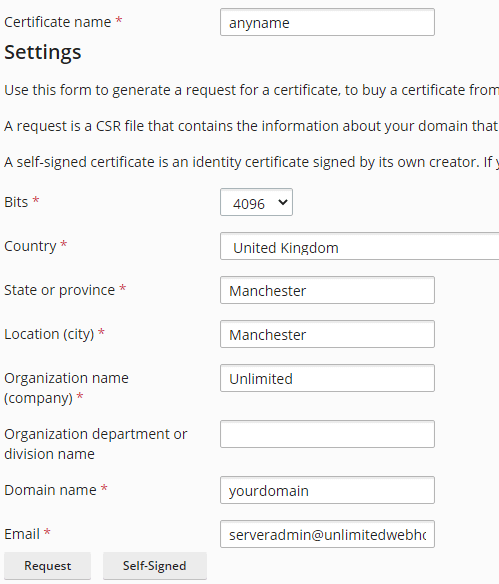
- Generate the CSR.
Click Request at the bottom of the form. Plesk creates your CSR and displays the encoded text.
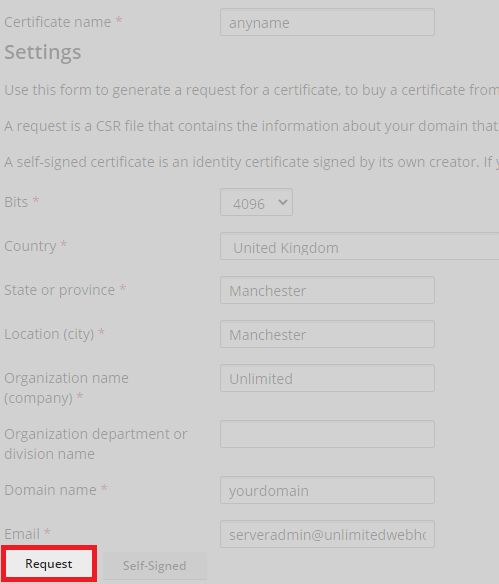
Copy the CSR text including the BEGIN and END markers. If you are purchasing a basic certificate that covers both www and non-www versions of your domain, enter the domain with the www prefix in the certificate request form. Submit the CSR to your certificate authority to receive your signed certificate.
Wrapping up
You generated a certificate signing request containing your domain and organisation details. Your hosting control panel created a private key automatically and stored it securely. Submit the CSR to your certificate authority to receive your SSL certificate.
Once you receive the signed certificate, return to the same SSL/TLS interface to install the certificate on your domain. Our SSL certificates include installation support if you need assistance.
If you run into any trouble, get in touch and our team will be happy to help.
Plans and tools mentioned in this guide
Did this guide solve your problem?
Still stuck?
Our UK support team answers tickets and live chat every day. Send us the guide you were following and where it stopped working.
Keep learning
Find a guide
Related guides

Hosting that keeps up
cPanel hosting with the tools these guides use, backed by UK support.
Get cPanel Hosting
Keep your site secure
Protect your visitors with SSL certificates – from budget DV to premium EV certificates.
Get SSL Certificate