Hotlinking occurs when another website embeds your images or files directly from your server. Every time someone visits their page, your server handles the request and you pay for the bandwidth. This slows your site down, increases server load and can push you over resource limits on shared hosting.
Hotlink protection blocks these requests by checking where they originate. Your server only serves files to visitors on your domain or an approved list. External sites attempting to embed your content receive nothing.
Before you begin
- You need access to your cPanel control panel.
- Hotlink protection applies to all domains on your cPanel account.
Enable hotlink protection
The cPanel hotlink protection tool configures your server to check referrer headers on media file requests. This prevents external sites from loading your files while keeping them accessible to legitimate visitors.
- Log in to cPanel.
Access your control panel atyourdomain.co.uk:2083replacing yourdomain.co.uk with your actual domain name. - Open the Hotlink Protection tool.
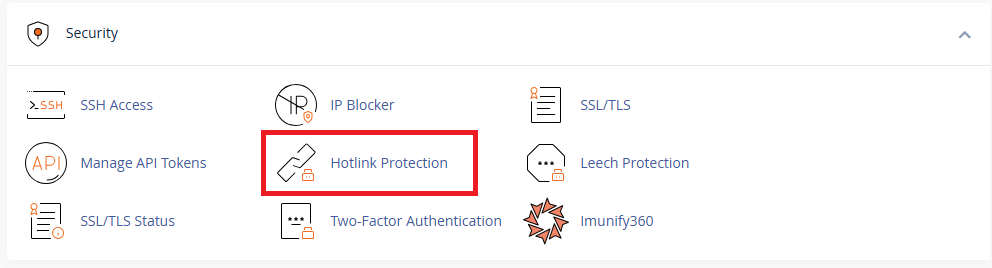
Scroll to the Security section and click Hotlink Protection.
- Review the default configuration.
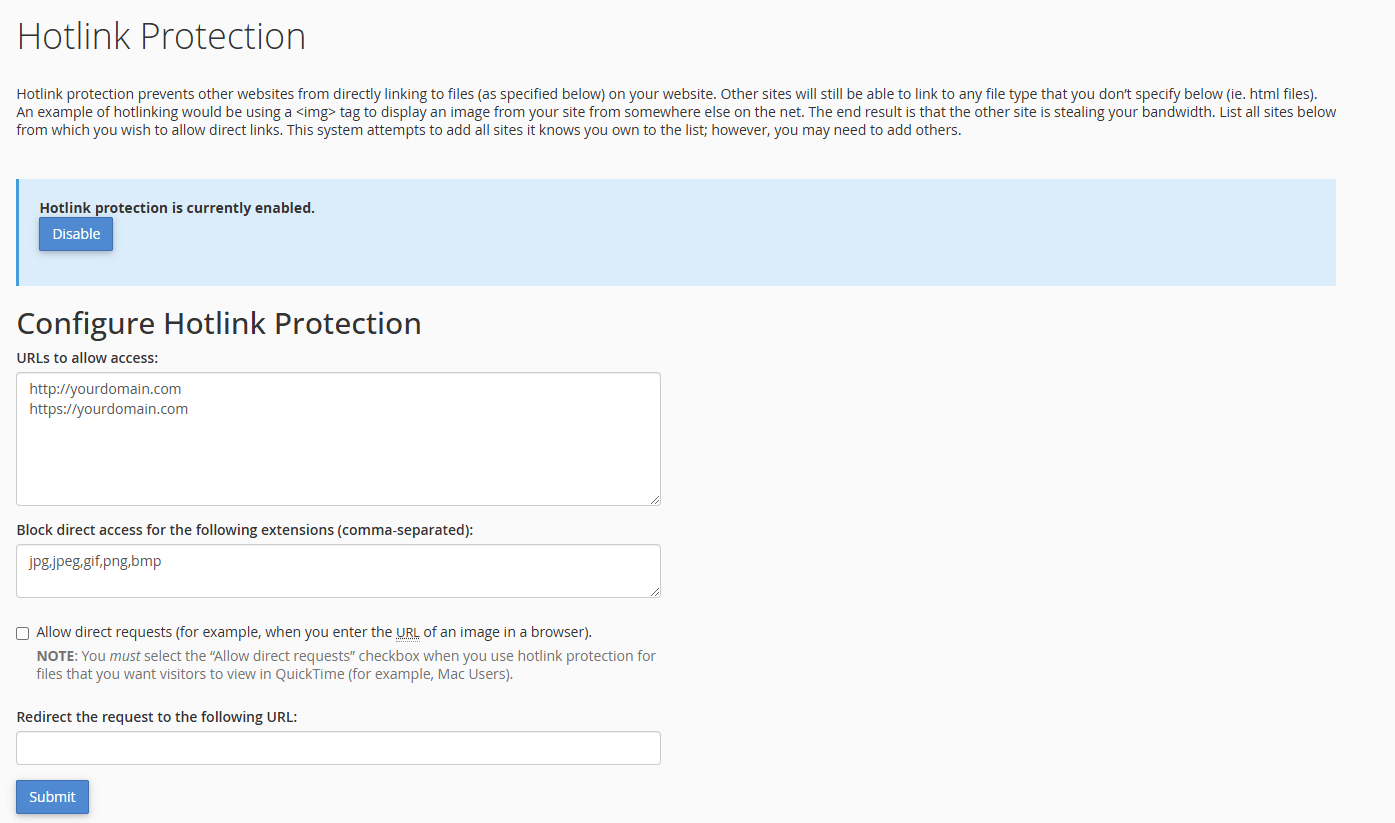
cPanel provides example URLs and file extensions that work for most sites. The URLs to allow access field lists domains that can load your files. The Block direct access for the following extensions field specifies which file types to protect.
- Enable protection.
Click the Enable button at the bottom of the page. Your server now blocks external requests for the specified file types.
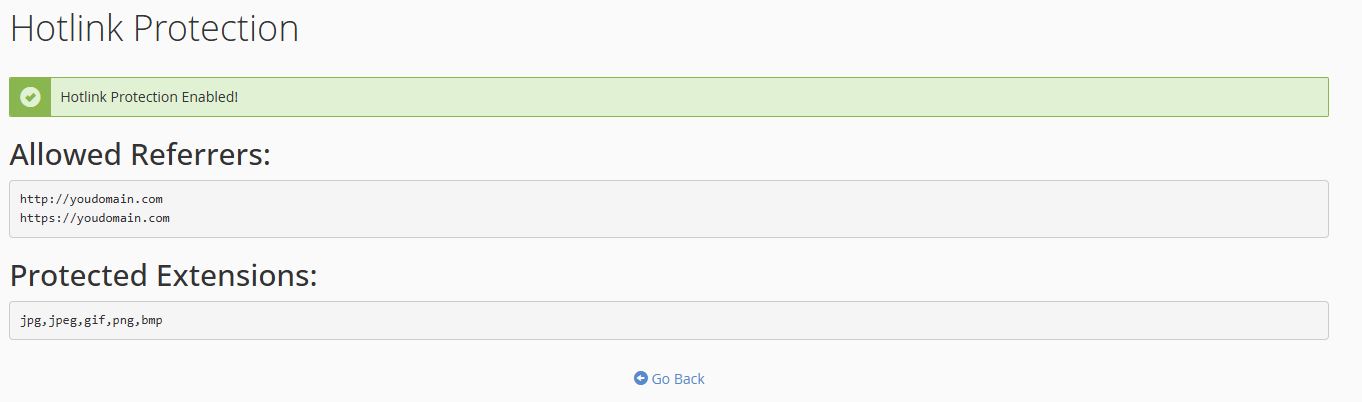
Hotlink protection is now active across all domains on your cPanel account. External sites attempting to embed your images or files will fail to load them.
Monitor hotlinking attempts
Your server logs record all requests including blocked hotlinking attempts. Checking these logs helps you identify persistent offenders and patterns in unauthorised access.
Review your access logs for requests with external referrers hitting your media files. Look for repeated attempts from the same domain or IP address. If one site consistently tries to hotlink your content, you may want to block their IP address entirely through cPanel’s IP Blocker tool.
Wrapping up
Your server now blocks external sites from embedding your images and files. You enabled hotlink protection through cPanel, which checks referrer headers on media requests and only serves files to approved domains. This protects your bandwidth and prevents unauthorised use of your content.
Monitor your access logs over the next few weeks to identify any hotlinking attempts. You can combine hotlink protection with other security measures such as password-protected directories for additional access control. Our web hosting plans include cPanel with all security tools pre-configured.
If you run into any trouble, get in touch and our team will be happy to help.


Ready to get started?
Launch your website with our reliable cPanel hosting with unlimited bandwidth and expert support.
Get cPanel Hosting