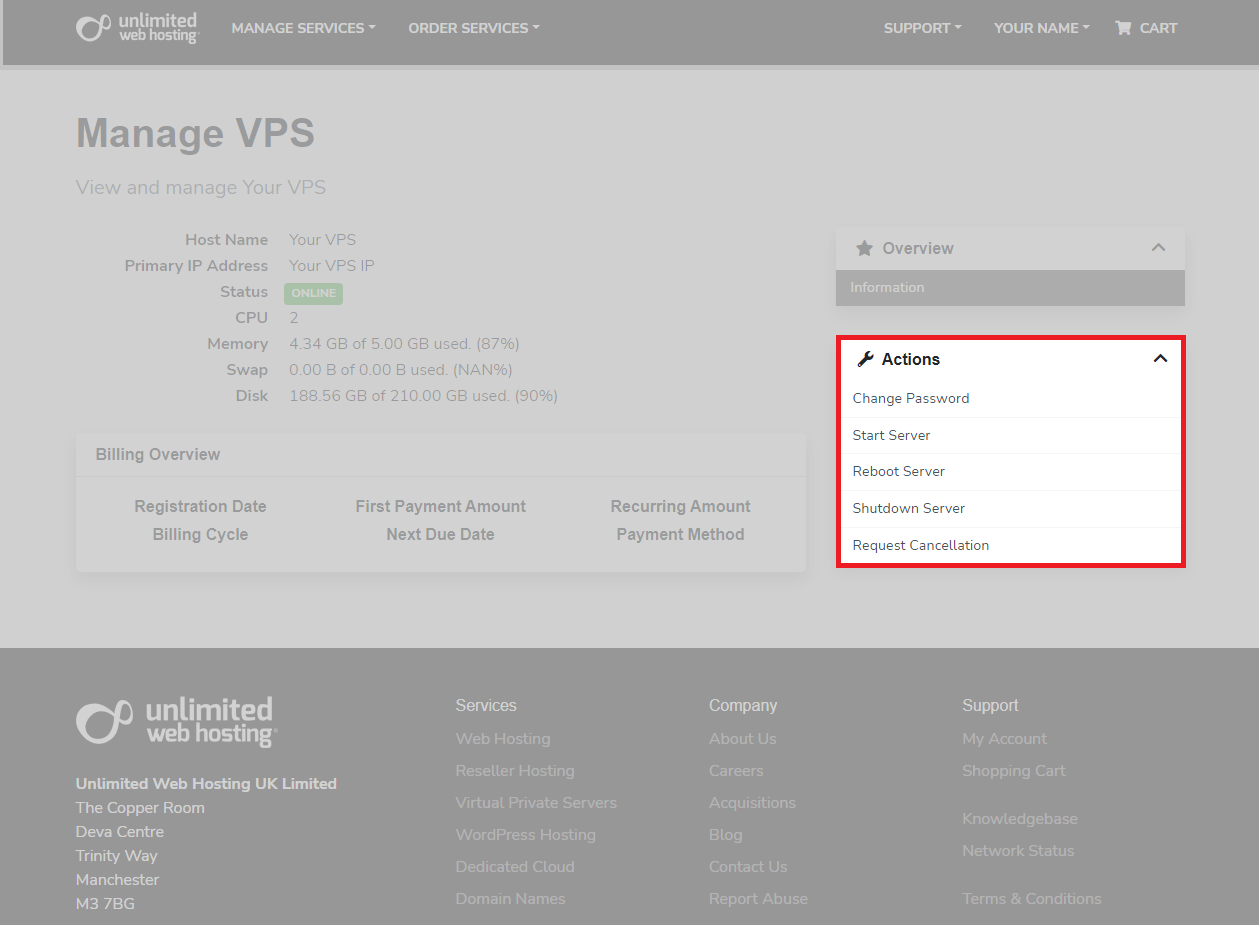
We make managing your VPS easy. From your client area issue commands including:
- Start
- Reboot
- Shutdown
Need to restart Plesk services specifically? That’s done through SSH or the Plesk interface itself.
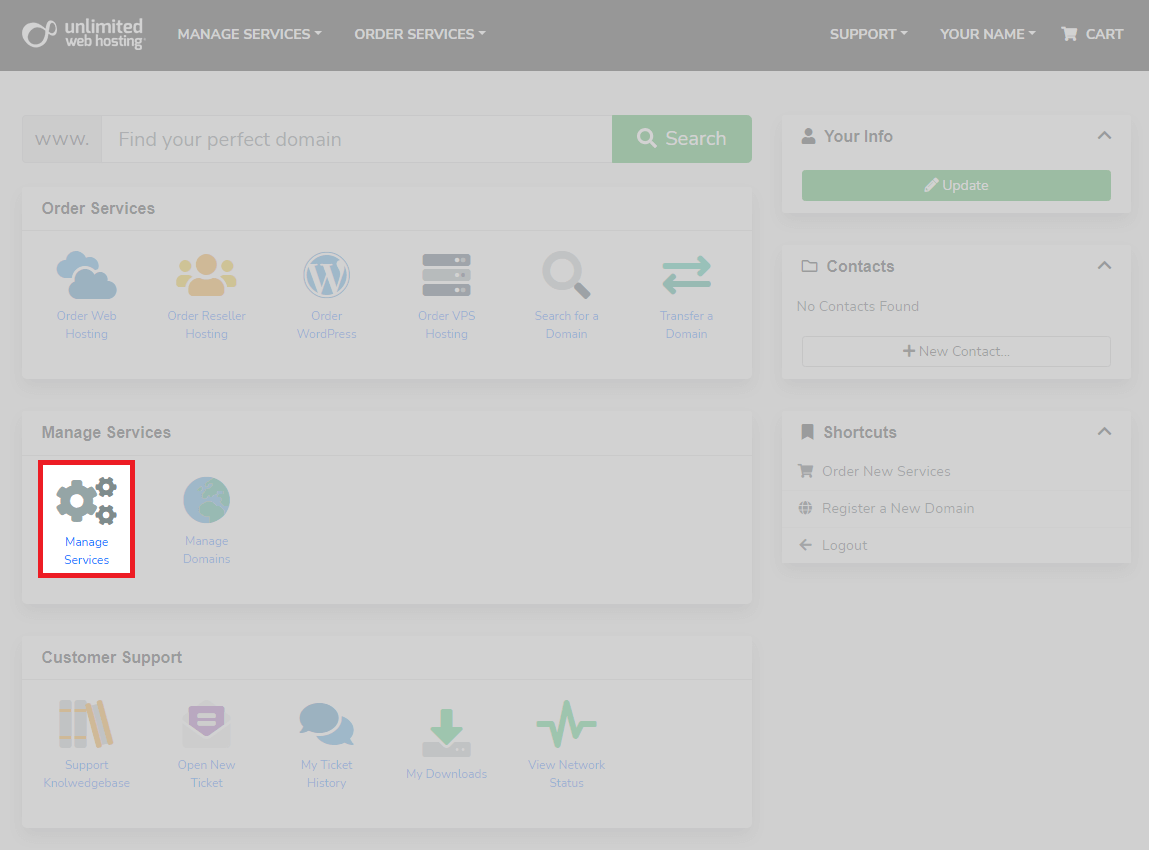
1. From the main client area page, in the manage services section. Click manage services as shown below.
2. After entering the manage services, select your server for the list of services.
3. Now you can manage your server using the panel below. These basic commands include changing the password, starting, stopping and rebooting the server.
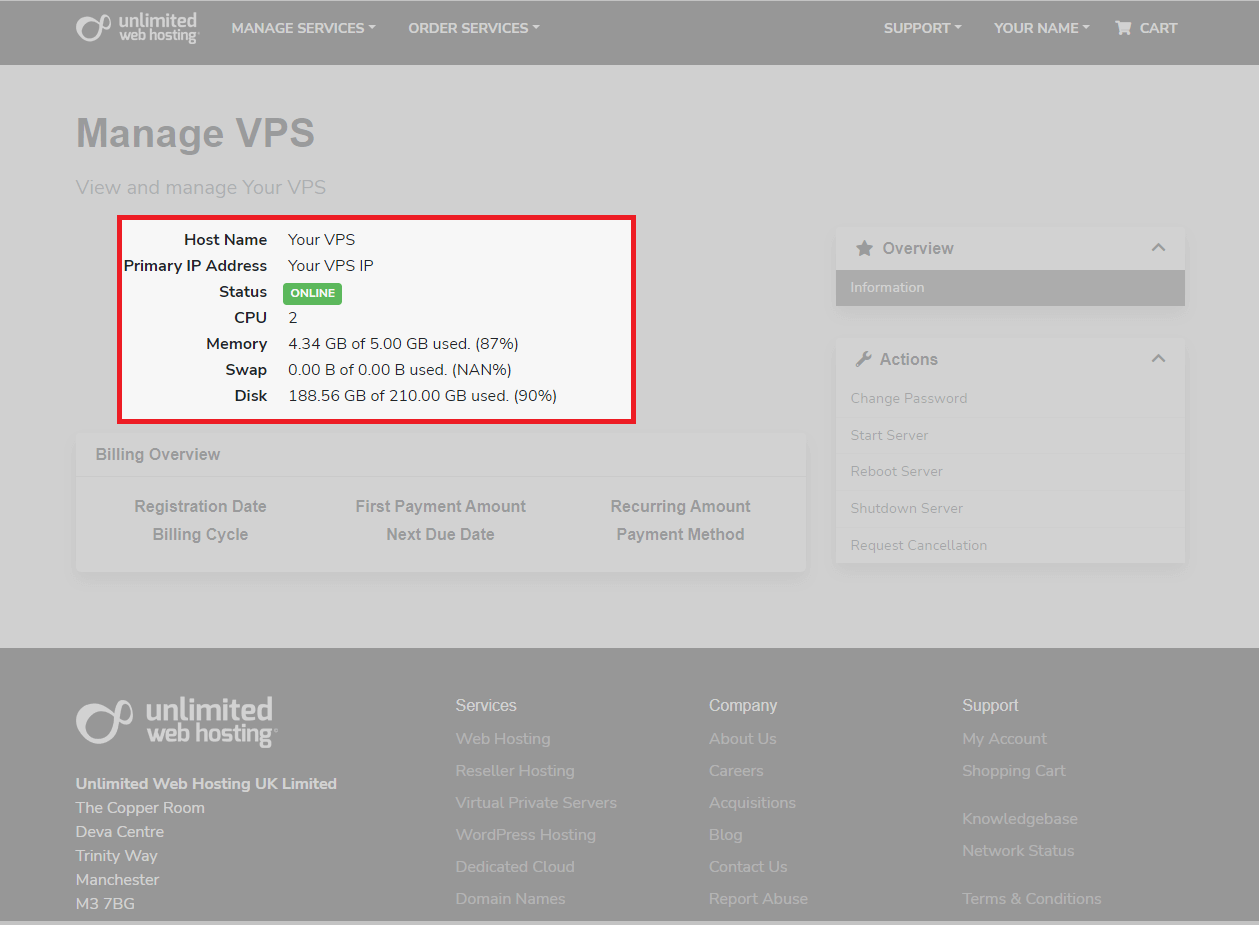
4. Also, within the manage services section, you can monitor the status of your server. This allows you to check if the server is running and its last recorded resource usage.


Need more power?
Get scalable resources with our VPS hosting with root access and optional software.
Get VPS Hosting
Starting something new?
Perfect for websites and small businesses unlimited bandwidth with cPanel hosting.
Get cPanel Hosting