X-Frame-Options is an HTTP response header that controls whether your website can be embedded inside an iframe on another domain. On servers running the PCI security configuration, NGINX sets X-Frame-Options: SAMEORIGIN by default, which blocks iframes from external domains. If a third-party service such as a payment widget or embedded tool is being blocked, you can override this behaviour in your .htaccess file.
This guide covers how to allow a specific domain to embed your site, and how to remove the restriction globally if needed.
Before you begin
- You need access to your website’s
.htaccessfile via cPanel File Manager or an FTP client. - We recommend taking a backup of your
.htaccessfile before making changes. - Your hosting account must be running Apache, or have Apache handling
.htaccessdirectives. Themod_headersmodule must be active.
Why X-Frame-Options is blocked by default
Servers with the PCI security configuration have NGINX set to apply X-Frame-Options: SAMEORIGIN to all responses automatically. This prevents your site from being loaded inside an iframe on any external domain, which is a common defence against clickjacking attacks. The downside is that legitimate third-party embeds, such as payment forms or booking widgets, are also blocked.
You can override this at the application level using an .htaccess directive, which takes precedence for your site’s responses.
Allow a specific domain to embed your site
The recommended approach is to permit only the domain that legitimately needs to embed your site. This keeps your site protected from other external domains while allowing the specific integration to work.
- Open your .htaccess file.
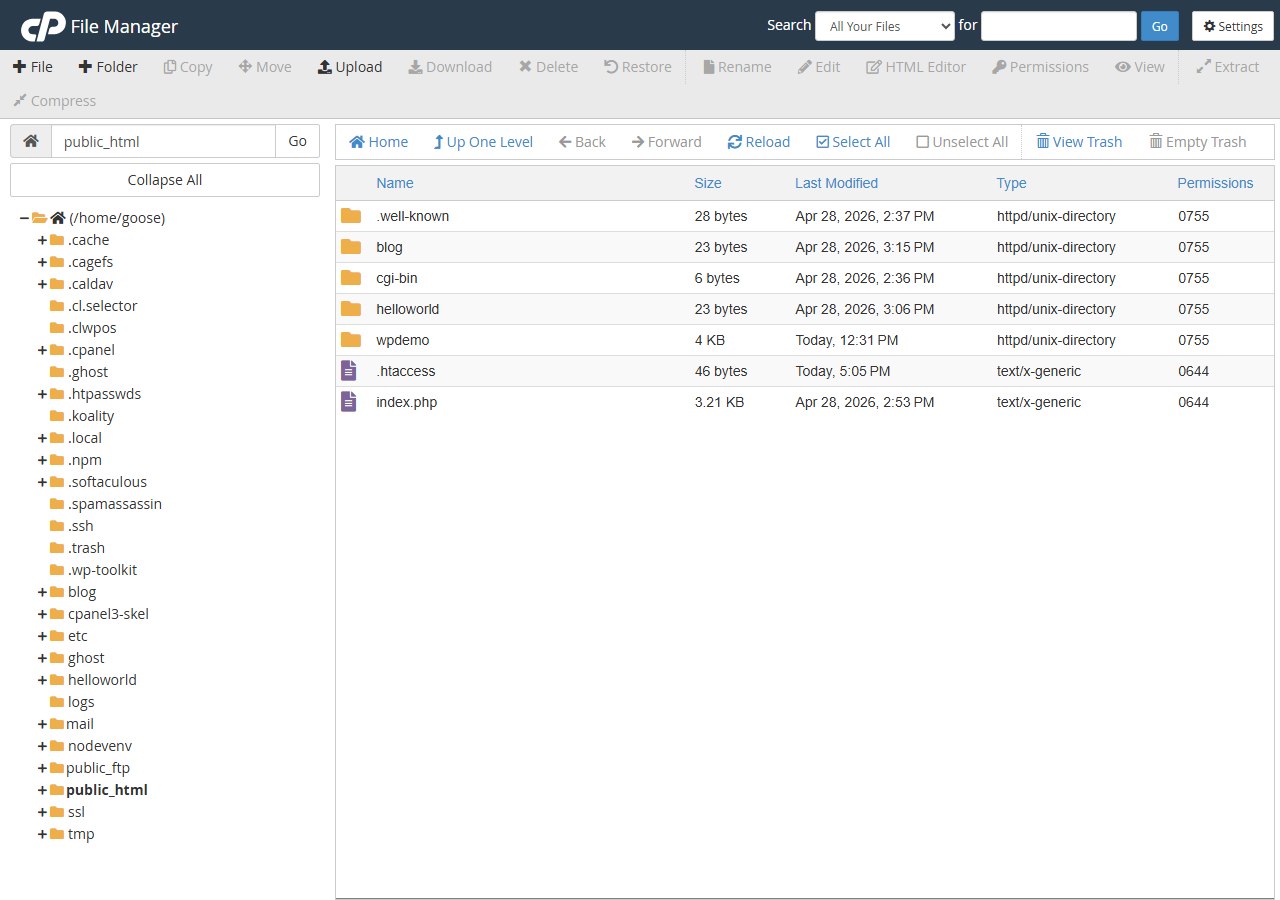
Log in to cPanel and navigate to File Manager. Locate.htaccessin your website’s root directory, typicallypublic_html. Right-click the file and select Edit. - Add the allow-from directive.
Add the following line, replacing the example URL with the domain that needs to embed your site.
Header set X-Frame-Options "ALLOW-FROM https://www.example.com/"- Save the file.
Click Save Changes in File Manager, then reload your site to confirm the embed now works.
Your site can now be embedded by the specified domain while remaining blocked for all others.
A note on browser support for ALLOW-FROM
The ALLOW-FROM directive is deprecated and no longer supported in Chrome or Firefox. If the embedding domain uses either of these browsers, the directive will have no effect and the iframe will still be blocked. The modern replacement is the Content-Security-Policy header using the frame-ancestors directive.
Add the following line to your .htaccess file alongside the X-Frame-Options directive to cover modern browsers. Replace the example URL with the domain that needs to embed your site.
Header set Content-Security-Policy "frame-ancestors 'self' https://www.example.com/"Using headers together gives the widest browser coverage: X-Frame-Options covers older browsers that do not support CSP, while frame-ancestors covers modern ones.
Remove the X-Frame-Options header globally
If you need to allow embedding from any domain without restriction, you can unset the header entirely. We do not recommend this approach as it removes clickjacking protection for your site.
To remove the header globally, add the following line to your .htaccess file.
Header always unset X-Frame-OptionsThis removes the X-Frame-Options header from all responses, allowing any domain to embed your site in an iframe.
Troubleshooting
The iframe is still blocked after editing .htaccess
If the embed is still blocked after saving your changes, the NGINX-level header may be overriding the Apache directive before it reaches the browser. Check the following:
- Confirm the
.htaccessfile is saved in the correct root directory for the domain. - Use your browser’s developer tools (Network tab) to inspect the response headers and confirm which value is being sent.
- If the NGINX header is still present, raise a support ticket so the server-level configuration can be reviewed.
The embed works in some browsers but not others
This is the expected behaviour when only the ALLOW-FROM directive is set. Chrome and Firefox ignore ALLOW-FROM entirely. Add the Content-Security-Policy: frame-ancestors header as described above to resolve this for modern browsers.
Wrapping up
You have configured X-Frame-Options in your .htaccess file to control how your site can be embedded in iframes. Using ALLOW-FROM alongside a Content-Security-Policy: frame-ancestors directive gives the broadest browser coverage while keeping your site protected from unauthorised embedding.
If you need to make further changes to your server headers or security configuration, see our guides on managing NGINX in cPanel and fixing website error codes. For broader site security, the website security guide on our blog covers additional steps you can take.
Our cPanel hosting plans give you full access to your .htaccess file and File Manager so you can manage headers and configuration directly.
Plans and tools mentioned in this guide
Did this guide solve your problem?
Still stuck?
Our UK support team answers tickets and live chat every day. Send us the guide you were following and where it stopped working.
Keep learning
Find a guide
Related guides

Hosting that keeps up
cPanel hosting with the tools these guides use, backed by UK support.
Get cPanel Hosting
Keep your site secure
Protect your visitors with SSL certificates – from budget DV to premium EV certificates.
Get SSL Certificate