The phpinfo() function displays detailed information about your server’s PHP configuration. You can use it to verify PHP version, check loaded extensions, review memory limits or confirm that software requirements are met.
You will create a PHP file containing the phpinfo() function, access it through your browser to view your configuration and then remove the file to protect your server information.
Before you begin
- You need access to cPanel File Manager or an FTP client.
- You must know your website’s root directory (typically
public_html).
Create the phpinfo file
You need to create a PHP file in your website’s root directory. This file will execute the phpinfo() function when accessed through a browser.
- Open File Manager in cPanel.
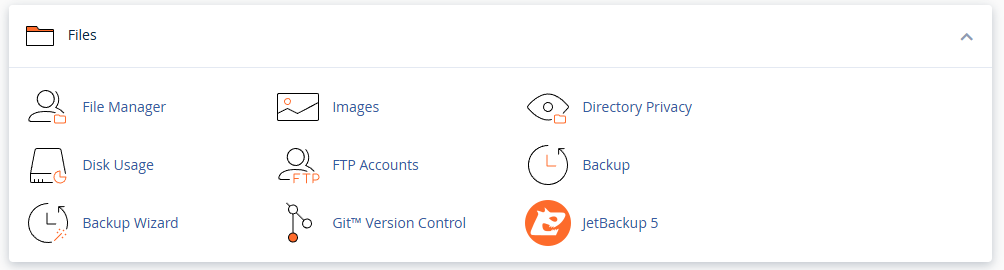
Log in to your cPanel control panel and locate the Files section. Click File Manager to open it.
- Navigate to your website root.
In File Manager, open thepublic_htmldirectory. This is where your website files are stored. - Create a new file.
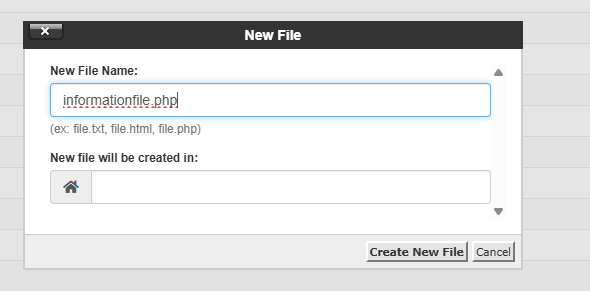
Click New File at the top of the page. Name the filephpinfo.phpand click Create New File.
- Edit the file.
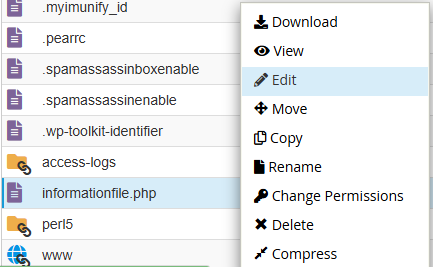
Right-click thephpinfo.phpfile and select Edit. Click Edit again in the confirmation dialogue that appears.
- Add the phpinfo code.
In the editor, add the following code and click Save Changes:
<?php phpinfo(); ?>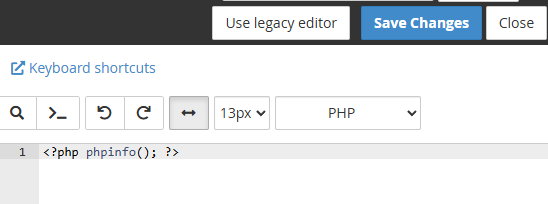
Your phpinfo file is now ready to use. The next step is to access it through your browser to view your PHP configuration.
View your PHP information
You access the phpinfo file through your web browser. The page displays comprehensive details about your PHP installation, including version, loaded extensions and configuration directives.
- Open the phpinfo page.
In your browser, navigate tohttps://yourdomain.co.uk/phpinfo.php, replacingyourdomain.co.ukwith your actual domain name. - Review the information.
The page displays your PHP version at the top, followed by sections for loaded extensions, configuration settings, environment variables and memory limits. You can use this to verify PHP version changes or understand LVE limits on your account.
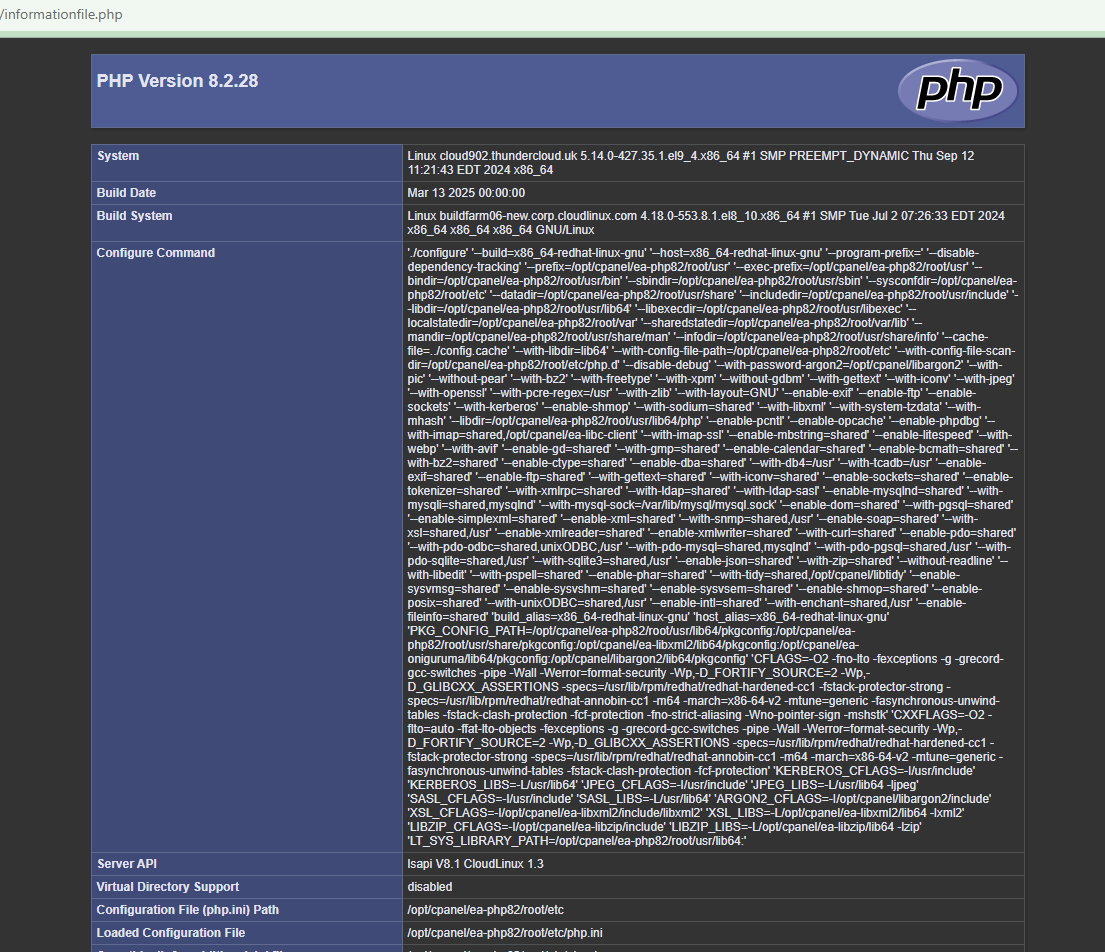
Once you have reviewed the information you need, you must remove the file. The phpinfo page exposes server configuration details that should not remain publicly accessible.
Remove the phpinfo file
The phpinfo file contains sensitive server information. You should delete it immediately after checking your PHP settings to prevent unauthorised access to your configuration details.
- Return to File Manager.
Open cPanel File Manager and navigate to thepublic_htmldirectory where you created the file. - Delete the file.
Right-clickphpinfo.phpand select Delete. Confirm the deletion when prompted. - Verify removal.
Try accessinghttps://yourdomain.co.uk/phpinfo.phpin your browser. You should see a 404 error, confirming the file has been removed.
If you need to restrict access instead of deleting the file, you can use .htaccess rules to limit access to specific IP addresses. Create or edit the .htaccess file in your public_html directory and add:
<Files "phpinfo.php">
    Order Deny,Allow
    Deny from all
    Allow from 192.168.1.1
</Files>
Replace 192.168.1.1 with your actual IP address. This prevents anyone except your specified IP from accessing the file.
Wrapping up
You have checked your PHP settings using the phpinfo() function. You created a PHP file in your website root, accessed it through your browser to view your server configuration and removed the file to protect your server information.
Remember to delete phpinfo files after each use. If you need to check PHP settings regularly, create the file only when needed and remove it immediately afterwards. Our web hosting plans include cPanel access for managing your PHP configuration.
If you run into any trouble, get in touch and our team will be happy to help.


Ready to get started?
Launch your website with our reliable cPanel hosting with unlimited bandwidth and expert support.
Get cPanel Hosting