Moving your website to a new hosting provider means transferring your files, databases and email accounts from your old host to your new one. If your current host runs cPanel, UWH can handle that transfer for you through the Migration Centre in the client area.
You will submit your existing cPanel credentials through the client area and our team will retrieve your files and data from your current provider. If your current host does not use cPanel or uses proprietary software, see our guide on how to manually migrate using cPanel instead.
Before you begin
- You must have an active UWH cPanel hosting, WordPress hosting or cPanel VPS plan in place before submitting a migration request.
- Have your current host’s login credentials to hand: the hostname, cPanel username and cPanel password.
- We recommend keeping your existing hosting active until you have confirmed the migration is complete.
Submit a migration request
The Migration Centre lets you provide your old hosting credentials securely. Once submitted, our team connects to your existing provider and copies your account across to UWH.
- Log in to the UWH client area.
Use the email address and password you created when signing up. If you need help accessing your account, see our guide on how to access your control panel.
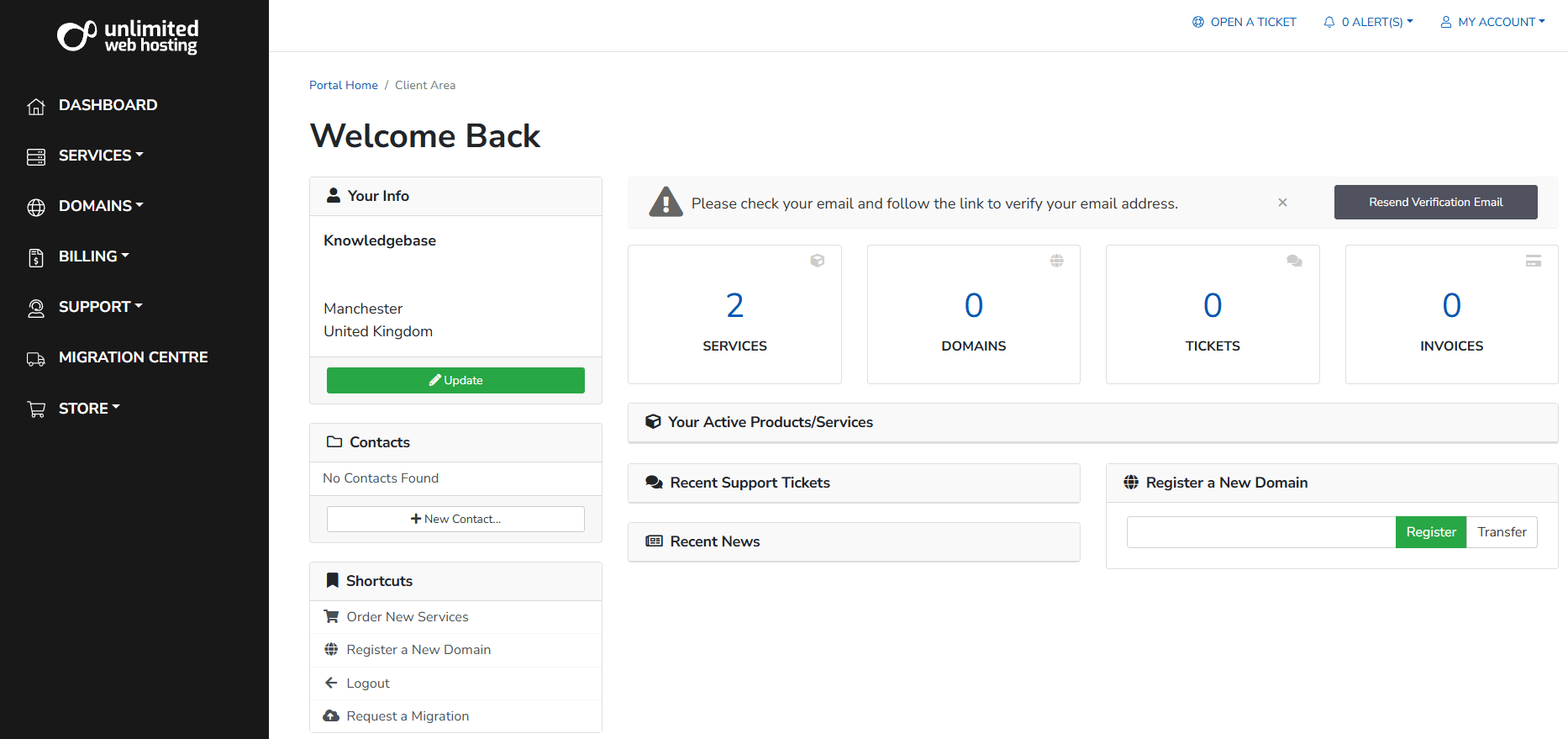
- Open the Migration Centre.
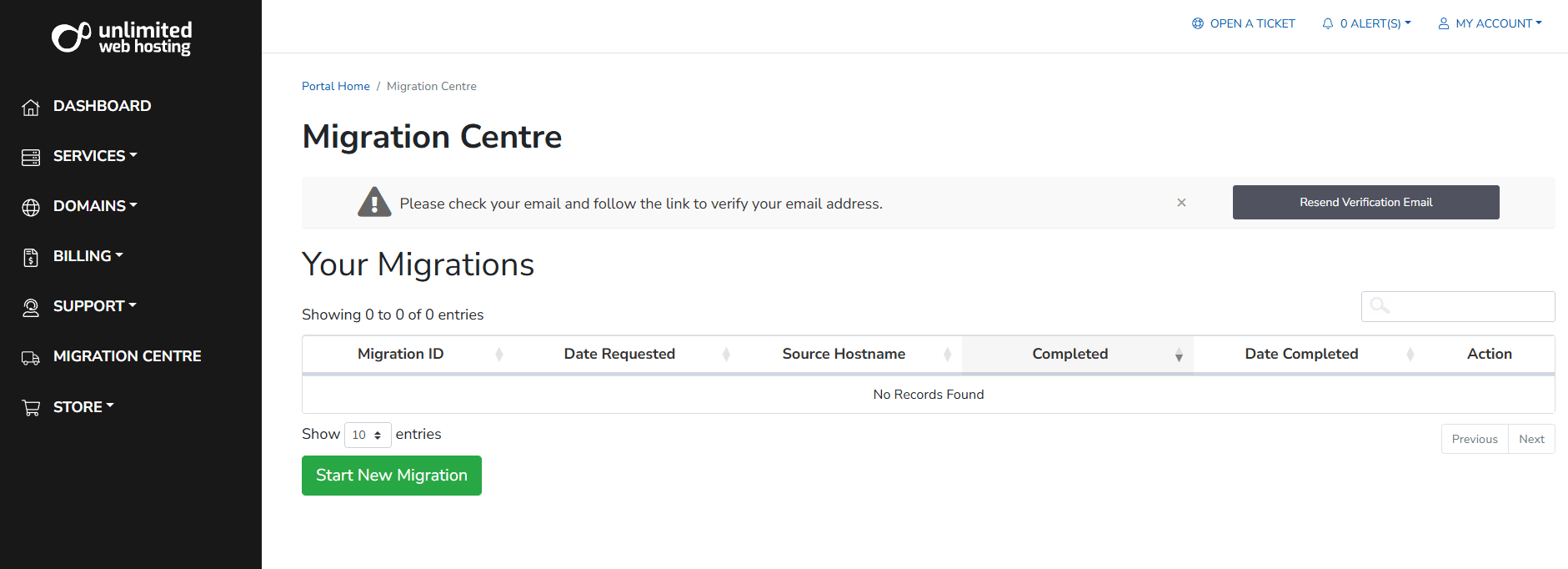
In the sidebar navigation, click Migration Centre. This page lists any previous or ongoing migrations on your account. Click the green Start New Migration button to proceed.
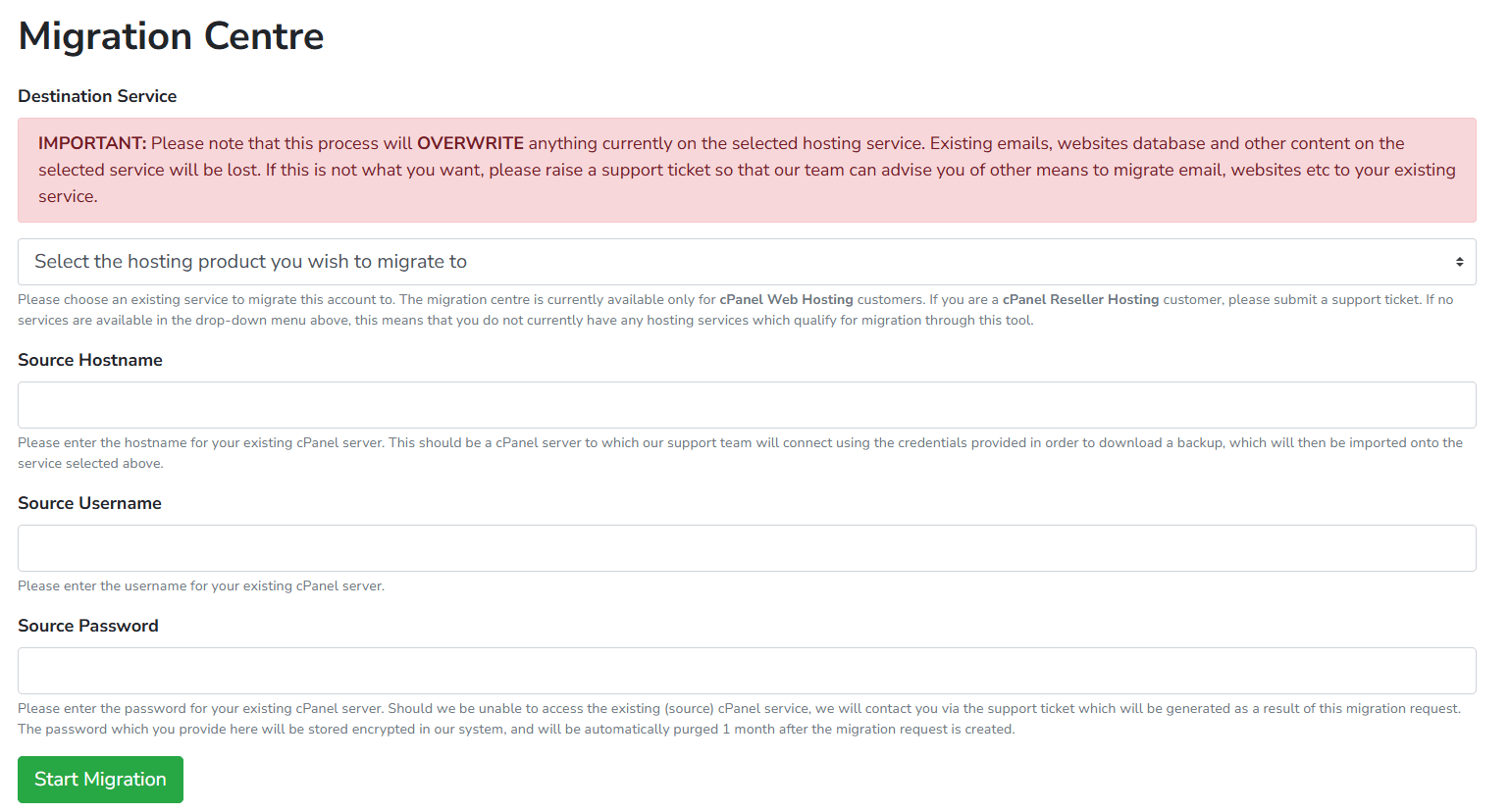
- Select your hosting product and enter your current host’s details.
Choose the UWH hosting plan you want to migrate into from the dropdown. Then enter your current provider’s hostname, cPanel username and cPanel password. These credentials allow us to connect to your old host and retrieve your account data.
- Submit the migration request.
Click Start Migration. You will be redirected to a confirmation page. Our team will handle the transfer from this point – no further action is needed on your part.
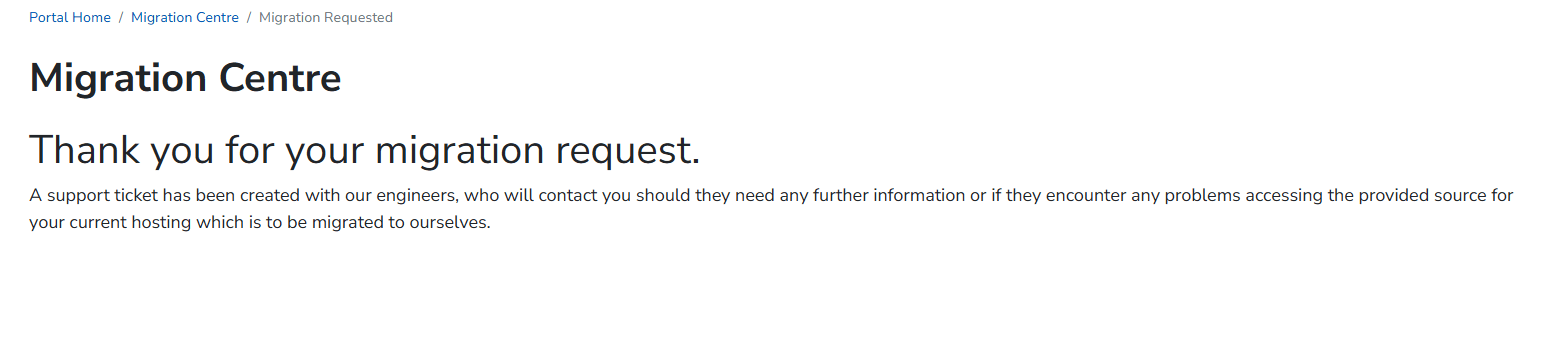
Your migration request is now with our team. You will receive an update once the transfer is complete.
After your migration completes
Once we notify you that the migration is complete, check that your files, databases and email accounts have transferred correctly before making any DNS changes. Updating your domain’s nameservers too early can cause downtime if the migration is still in progress.
- Log in to cPanel and verify your files.
Open File Manager and confirm your website files are present underpublic_html. - Check your databases.
Open phpMyAdmin in cPanel and confirm your databases and tables have migrated. - Update your nameservers.
Once satisfied, update your domain’s nameservers to point to UWH. See our guide on transferring your domain for more detail. DNS changes can take up to 24 hours to propagate fully.
Your site is now live on UWH hosting. Keep your old hosting account active for a day or two as a precaution until you have confirmed everything is working correctly on the new server.
Wrapping up
You have submitted a migration request through the UWH client area. Our team will connect to your old cPanel host, transfer your files and databases, and notify you when the account is ready on your new plan.
Once you have verified the migration, update your domain’s nameservers and keep an eye on your site over the following 24 hours. For further tasks, see our guides on accessing your control panel and manually migrating a cPanel account if you need to move additional accounts or sites that fall outside the automated process.
Did this guide solve your problem?
Still stuck?
Our UK support team answers tickets and live chat every day. Send us the guide you were following and where it stopped working.
Keep learning
Find a guide
Related guides

Starting from scratch?
Register a domain name and point it at your hosting in the same account.
Search Domains
Somewhere to put it
Perfect for websites and small businesses unlimited bandwidth with cPanel hosting.
Get cPanel Hosting