Support tickets connect you directly with our technical team when you need help with your hosting account. You can submit tickets for technical problems, account changes or general product questions.
You will open a ticket from your client area, provide relevant details about your issue and track responses through the support portal. You can also access the ticket system directly from cPanel if you are already logged in.
Before you begin
- Access your server logs if you are seeing errors. Error logs show exactly what is breaking.
- Find your server hostname if the issue relates to server configuration or DNS.
- If you cannot log in, change your password first, then submit your ticket.
Open a support ticket from your client area
The client area ticket system lets you describe your issue, attach supporting files and select which service the request relates to. This information helps our team understand your problem and respond faster.
- Log in to your account.
Visit unlimitedwebhosting.co.uk and click the Login button in the top right corner.

- Open the support menu.
Click Support in the top navigation bar to expand the dropdown menu.
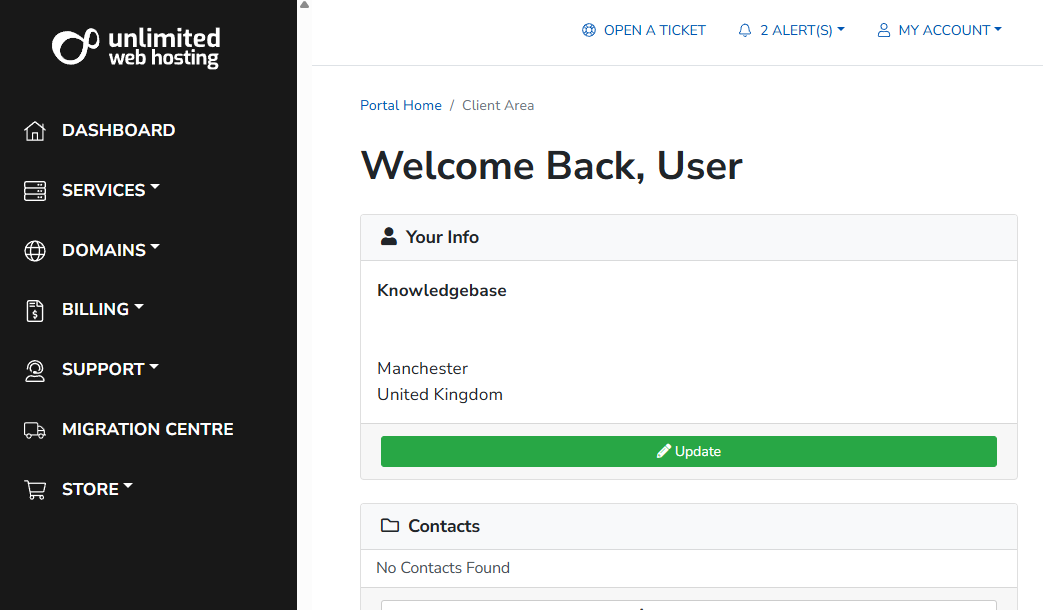
- Start a new ticket.
Click Open New Ticket from the dropdown menu.
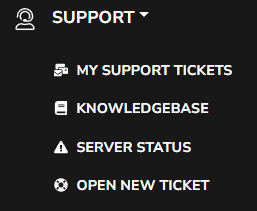
- Fill in the ticket details.
Enter a descriptive subject line in the Subject field. Select the relevant service from the Related service dropdown if your issue affects a specific hosting plan. Write a clear description of your problem in the Message field. Attach any supporting files such as screenshots or log files using the Attachments section. These details help our team understand your issue faster.
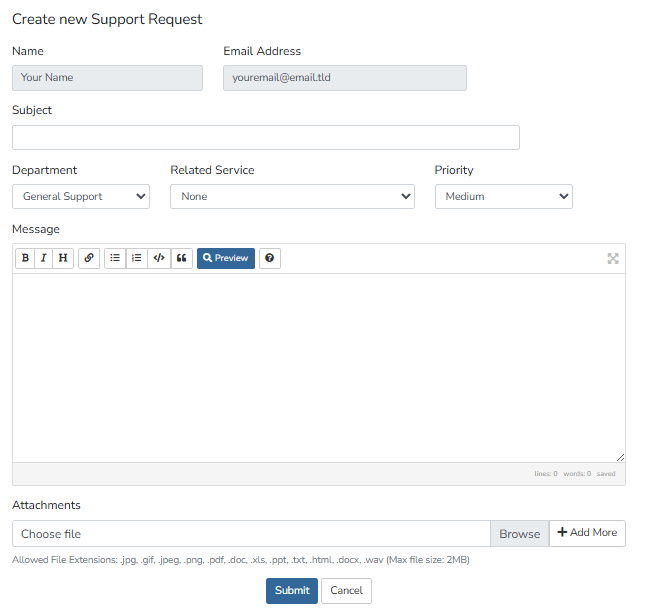
- Submit your ticket.
Click Submit to send your request. You will see a confirmation page showing your ticket has been created. Track responses by clicking My Support Tickets in the support menu.
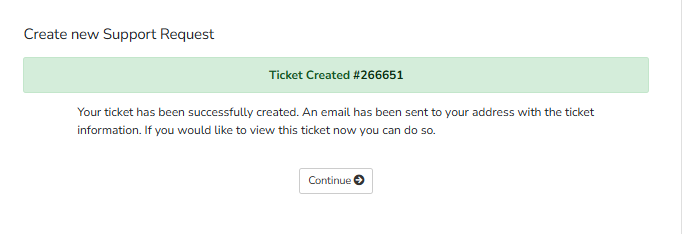
Your ticket is now with our support team. You will receive email notifications when we respond.
Open a ticket from cPanel
If you are already working in cPanel, you can open a support ticket without returning to the client area. This shortcut takes you directly to the ticket creation form.
- Find the support link in cPanel.
Look for the Open Support Ticket link in the bottom right corner of your cPanel dashboard. This link only works if you are logged in to your client area in the same browser. - Click the link.
The ticket creation form opens in a new tab. Fill in the details as described in the previous section.
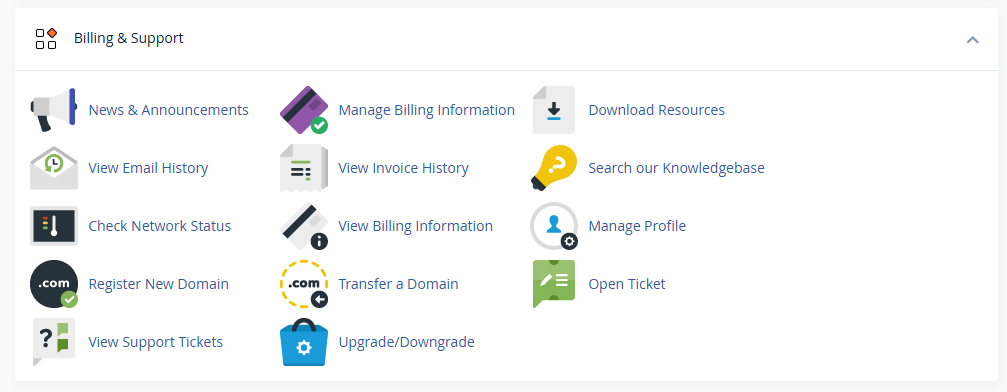
This method saves time when you are already troubleshooting an issue in cPanel.
Wrapping up
You can now submit support tickets from your client area or directly from cPanel. You learned how to provide detailed information, attach supporting files and track your ticket responses through the support portal.
We recommend checking your server logs before submitting tickets about errors. The more information you provide upfront, the faster we can resolve your issue. Our web hosting plans include full technical support for all hosting-related issues.
Plans and tools mentioned in this guide
Did this guide solve your problem?
Still stuck?
Our UK support team answers tickets and live chat every day. Send us the guide you were following and where it stopped working.
Keep learning
Find a guide
Related guides

Starting from scratch?
Register a domain name and point it at your hosting in the same account.
Search Domains
Somewhere to put it
Perfect for websites and small businesses unlimited bandwidth with cPanel hosting.
Get cPanel Hosting