Feature lists control which cPanel tools and functions your hosting customers can access. You create these lists in WHM to define what separates your hosting tiers, allowing you to offer different feature sets across basic, premium and business packages.
You will create a custom feature list, select which cPanel features to include and apply it to your hosting packages. This gives you precise control over what each customer tier can access.
Before you begin
- You need access to your WHM control panel.
- Features unavailable in your reseller account cannot be enabled for customers.
- We recommend planning your package structure before creating feature lists.
Create a feature list
You will create a new feature list that defines which cPanel functions are available. This list can then be applied to one or more hosting packages.
- Log in to WHM.
Access your WHM control panel using your reseller credentials. If you need help accessing WHM, see our guide on accessing WHM. - Open Feature Manager.
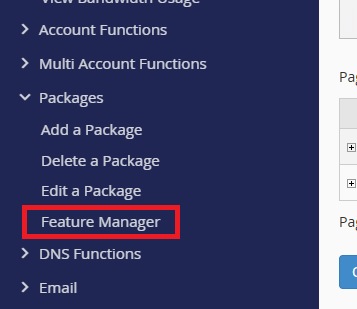
In the left sidebar, expand the Packages menu and click Feature Manager. This opens the feature list creation and management area.
- Name your feature list.
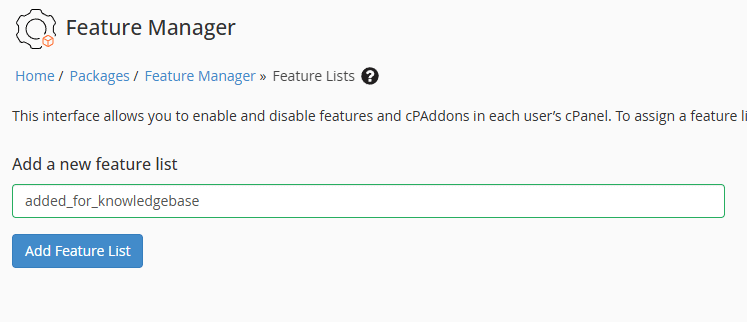
In the Add a new feature list box, enter a descriptive name such as “Basic Plan Features” or “Premium Tier”. Click Add Feature List to proceed.
- Select features to include.
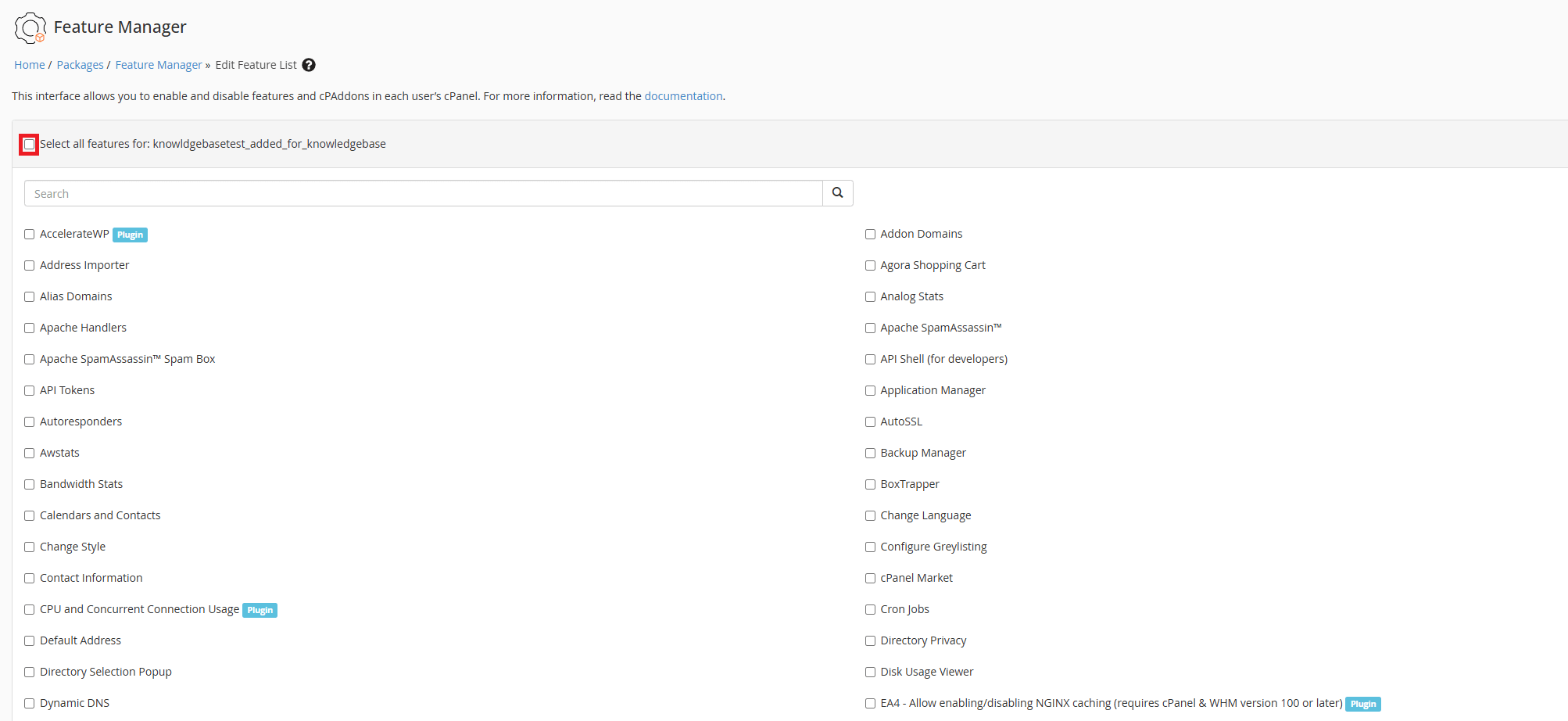
The feature selection page displays all available cPanel features. Tick individual features to include them in your list, or click Select All to enable everything available to your reseller account. This determines what tools customers on this tier can access.
- Save the feature list.
Scroll to the bottom of the page and click Save. A confirmation message appears when the list is created successfully.
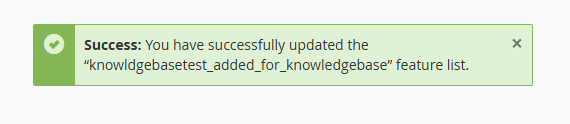
Your feature list is now available to apply to hosting packages. You can create multiple lists to support different package tiers.
Edit or delete a feature list
You can modify existing feature lists or remove ones you no longer need. Changes to a feature list affect all packages currently using it.
- Return to Feature Manager.
Navigate back to Packages > Feature Manager in the WHM sidebar. - Select the list to modify.
Use the dropdown menu under Manage feature list to choose the list you want to edit or delete. - Make your changes.
Click Edit to modify the feature selection, or click Delete to remove the list entirely. If editing, adjust the feature checkboxes and click Save when finished.
Deleting a feature list does not affect existing accounts. Those accounts retain their current feature access until you assign them a different list.
Apply feature lists to packages
Feature lists take effect when you assign them to hosting packages. You can apply a list when creating new packages or editing existing ones in WHM. The feature list determines which cPanel tools appear for customers on that package.
If you use WHMCS for billing automation, link feature lists directly to your products. This provisions the correct feature set automatically when customers order. See our guide on installing WHMCS to set up automated provisioning.
Wrapping up
You created custom feature lists in WHM to control which cPanel features your customers can access. You selected specific features, saved the list and learned how to edit or delete lists as your package structure evolves.
Review your feature lists regularly as you add new packages or adjust your hosting tiers. If you are getting started with reseller hosting, begin with two or three clear package tiers rather than creating too many options. Our cPanel & WHM reseller hosting gives you the flexibility to build packages that match your business model.
Plans and tools mentioned in this guide
Did this guide solve your problem?
Still stuck?
Our UK support team answers tickets and live chat every day. Send us the guide you were following and where it stopped working.
Keep learning
Find a guide
Related guides

Need multiple accounts?
Create isolated individual accounts for your clients and manage them all from one dashboard.
Get Reseller Hosting
Need more control?
Upgrade to VPS hosting for scalable resources and root access to your server.
Get VPS Hosting