A fresh Debian 12 VPS needs Apache, MariaDB and PHP installed and configured before it can host PHP applications such as WordPress, Joomla or OpenCart. This guide takes you through each component of a LAMP stack on Debian 12, from package installation through to SSL certificate provisioning with Certbot.
By the end, your server will serve web pages over HTTPS and accept database connections from PHP applications.
Before you begin
- You need root or sudo access to a Debian 12 VPS.
- Your domain name must point to the server’s IP address before running Certbot.
- We recommend taking a snapshot of your server before making configuration changes.
- Ports 80 and 443 must be open in your firewall. See our guide on opening ports with UFW if needed.
Install Apache, MariaDB, PHP and Certbot
Debian’s apt package manager can install all required components in a single pass. Updating the package list first prevents version conflicts between newly installed packages and existing system libraries.
- Update the package list.
This fetches the latest package metadata from Debian’s repositories so that apt installs current versions.
sudo apt update
- Install all required packages.
This single command installs the Apache web server, MariaDB database engine, PHP 8.2 with common extensions, and Certbot with its Apache plugin. Add the -y flag to skip the confirmation prompt.
sudo apt install apache2 mariadb-server mariadb-client php php-fpm php-intl php-mbstring php-gd php-xml php-curl php-mysql php-zip php-xmlrpc certbot python3-certbot-apache
- Enable PHP-FPM.
PHP-FPM handles PHP requests as a separate process, which improves performance under load. This command activates the PHP 8.2 FPM configuration for Apache.
sudo a2enconf php8.2-fpm
All packages are now installed. Next, configure Apache to serve your site correctly.
Configure Apache on Debian 12
Apache needs two changes to work correctly with PHP applications: the default SSL virtual host must be activated, and .htaccess overrides must be permitted so that applications like WordPress can control their own URL routing.
- Enable the default SSL virtual host.
This activates Apache’s built-in HTTPS configuration, which Certbot will later update with your certificate details.
sudo a2ensite default-ssl
- Open the HTTP virtual host configuration.
This file controls how Apache handles requests on port 80. You will add a Directory block to allow .htaccess files to override Apache’s default settings.
sudo nano /etc/apache2/sites-enabled/000-default.conf
- Add the Directory block inside the VirtualHost section.
Place the following block inside the <VirtualHost *:80> tags. AllowOverride All permits .htaccess files to function; without this, permalink structures and application routing break.
<Directory "/var/www/html"> Options FollowSymLinks AllowOverride All Require all granted </Directory>
- Repeat for the SSL virtual host.
Open /etc/apache2/sites-enabled/default-ssl.conf and add the same Directory block inside the <VirtualHost _default_:443> tags.
- Restart Apache to apply all changes.
Restarting loads the new virtual host configuration and the PHP-FPM connection.
sudo systemctl restart apache2
Open your server’s IP address in a browser. You should see the default Apache page, confirming the web server is running.
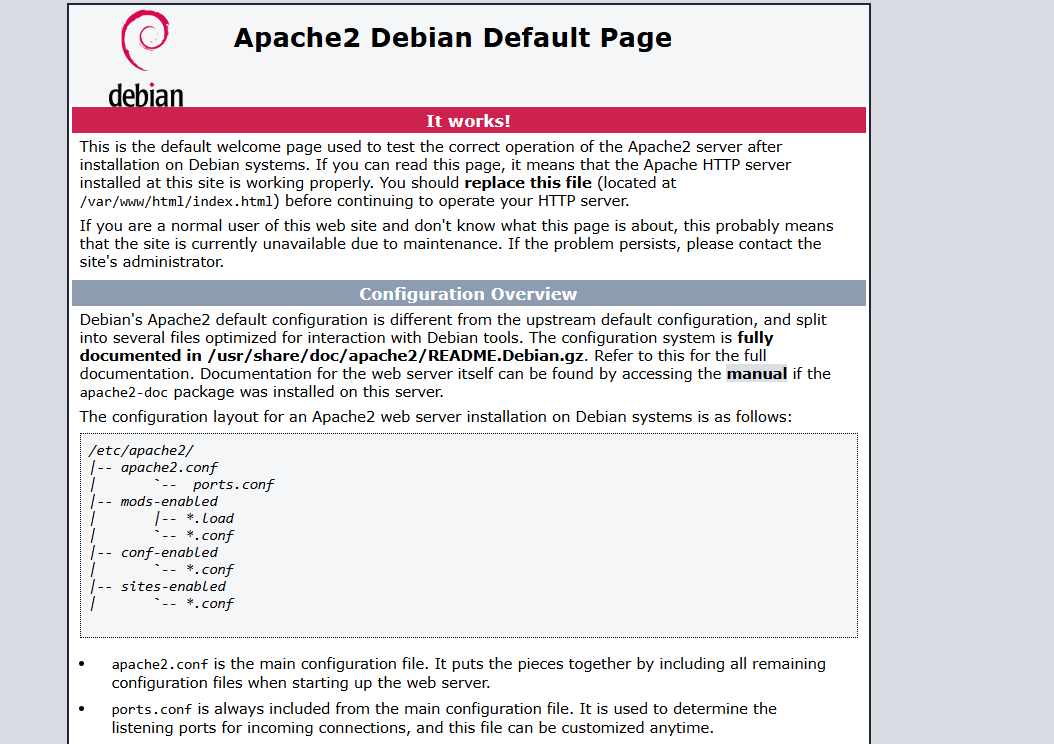
The default Apache page confirms the web server is active.
Secure the MariaDB installation
MariaDB ships with insecure defaults, including anonymous user accounts and the ability to connect as root without a password. The mysql_secure_installation script removes these defaults and sets a root password in one interactive pass.
- Run the security script.
Follow the prompts. When asked to set a root password, choose a strong one and record it somewhere secure. We recommend answering Y to all remaining questions to remove anonymous users, disable remote root login and drop the test database.
sudo mysql_secure_installation
- Verify the connection.
Log in as root to confirm MariaDB is accepting connections with your new password. Type exit to return to your shell when done.
mysql -u root -p
MariaDB is now secured. PHP applications can connect to it using credentials you create per-database.
Issue an SSL certificate with Certbot
Certbot connects to Let’s Encrypt, verifies that your domain points to this server and installs a free SSL certificate automatically. It also updates your Apache configuration to redirect HTTP traffic to HTTPS.
- Run Certbot with the Apache plugin.
Certbot reads your existing Apache virtual hosts and asks which domain to secure. Follow the prompts to select your domain and agree to the terms of service.
sudo certbot --apache
Once complete, visit your domain over HTTPS to confirm the padlock appears. Certbot configures automatic renewal by default, so your certificate stays valid without manual intervention. For more detail on the process, see our guide on installing an SSL certificate with Certbot.
Troubleshooting
Apache fails to start after configuration changes
A syntax error in a virtual host file prevents Apache from starting. Test your configuration before restarting to catch errors early.
- Run
sudo apache2ctl configtestto check for syntax errors. The output shows the file and line number of any problem. - Check the Apache error log with
sudo journalctl -u apache2 --no-pager -n 50for the most recent entries. - Confirm the Directory block is placed inside the VirtualHost tags, not outside them.
Certbot fails domain verification
Certbot verifies domain ownership by making an HTTP request to your server. If that request cannot reach your server, the certificate is not issued.
- Confirm your domain’s A record points to this server’s IP address. DNS changes can take up to 24 hours to propagate.
- Check that port 80 is open and Apache is running before retrying Certbot.
- If your server sits behind a firewall, confirm HTTP traffic is permitted. See our guide on opening ports with UFW.
PHP pages display as plain text
If your browser downloads PHP files rather than executing them, Apache is not passing requests to PHP-FPM correctly.
- Confirm the PHP-FPM configuration is active by running
sudo a2enconf php8.2-fpmagain, then restart Apache. - Check that the
php8.2-fpmservice is running withsudo systemctl status php8.2-fpm. - Enable the proxy_fcgi module if it is not already active:
sudo a2enmod proxy_fcgi, then restart Apache.
Wrapping up
Your Debian 12 server now runs a complete LAMP stack. Apache serves web pages, MariaDB stores application data, PHP processes dynamic content and Certbot has issued an SSL certificate so your site loads over HTTPS.
From here you can install a CMS or PHP application into /var/www/html. See our guides on switching users in Linux and managing your VPS for day-to-day administration tasks. For a parallel walkthrough on an RPM-based distribution, see our guide on installing a LAMP stack on AlmaLinux.
Did this guide solve your problem?
Still stuck?
Our UK support team answers tickets and live chat every day. Send us the guide you were following and where it stopped working.
Keep learning
Find a guide
Related guides

Need more power?
Get scalable resources with our VPS hosting with root access and optional software.
Get VPS Hosting
Starting something new?
Perfect for websites and small businesses unlimited bandwidth with cPanel hosting.
Get cPanel Hosting