Sometimes, Plesk may encounter problems that can usually be fixed through a restart. If completed properly, this should have a minimal impact on uptime and result in no data loss.
You will need a basic knowledge of the command line and using an SSH client. If this is something unfamiliar to you, please don’t hesitate to contact our support team. They can walk you through setting up and using SSH.
Restart Plesk using the command line.
Restarting Plesk services is a common part of managing your VPS. You may need to restart services after Plesk updates or when troubleshooting issues with services such as email or web hosting.
1. Open your SSH client (such as PuTTY).
2. Enter the hostname or IP address of your VPS.
3. Click “Open”. You’ll be prompted to enter your username and password. If you need to access services with different permissions, you may need to switch users in Linux.
4. If entered correctly, you will see the following window.
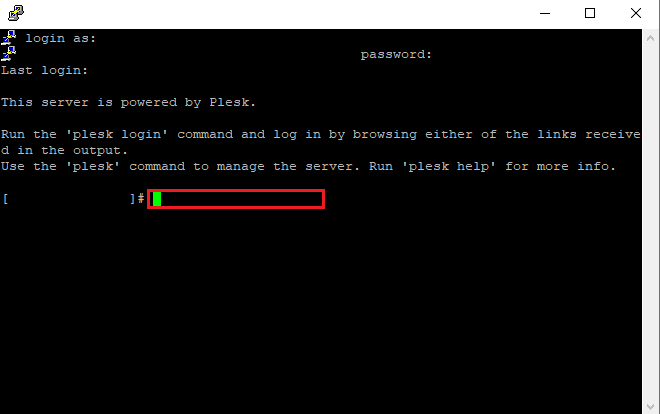
5. Please enter a relevant command from below. The command you choose will be dependent on the issue you’re experiencing.
Restart all Plesk services
Use this command to completely restart Plesk. This is useful when experiencing issues with multiple services, such as after installing WordPress on Plesk or when troubleshooting web hosting problems:
/etc/init.d/psa restartRestart the Plesk control panel
A login-related issue, will not require the whole Plesk service to be restarted. The command below will restart the administrative web service
/etc/init.d/sw-cp-server restartRestart specific Plesk services
If you’re experiencing issues with specific services, such as email functionality, you may only need to restart individual components. For email-related problems, restarting the mail service can resolve issues without affecting other services. You can then manage email settings in Plesk once the service is running.


Need more power?
Get scalable resources with our VPS hosting with root access and optional software.
Get VPS Hosting
Starting something new?
Perfect for websites and small businesses unlimited bandwidth with cPanel hosting.
Get cPanel Hosting